Kiosk Mode — RegTechPRO | Password-Protected Forms for Non-Users
KIOSK MODE · PASSWORD-PROTECTED FORMS · £50/MONTH
Collect compliance data from 200 staff. At the cost of one platform user.
Branded, password-protected public forms — submissions flow straight into your platform.
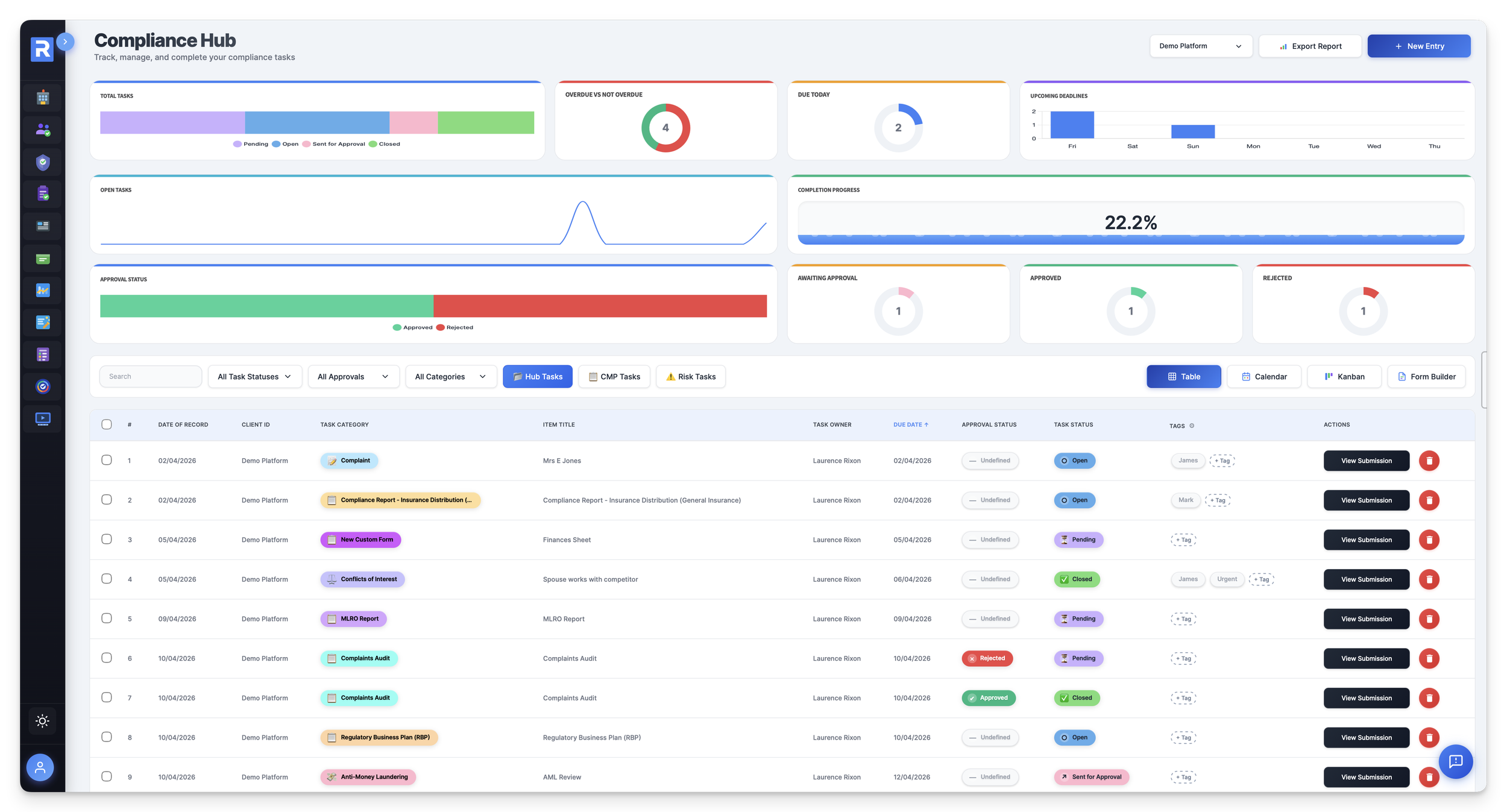
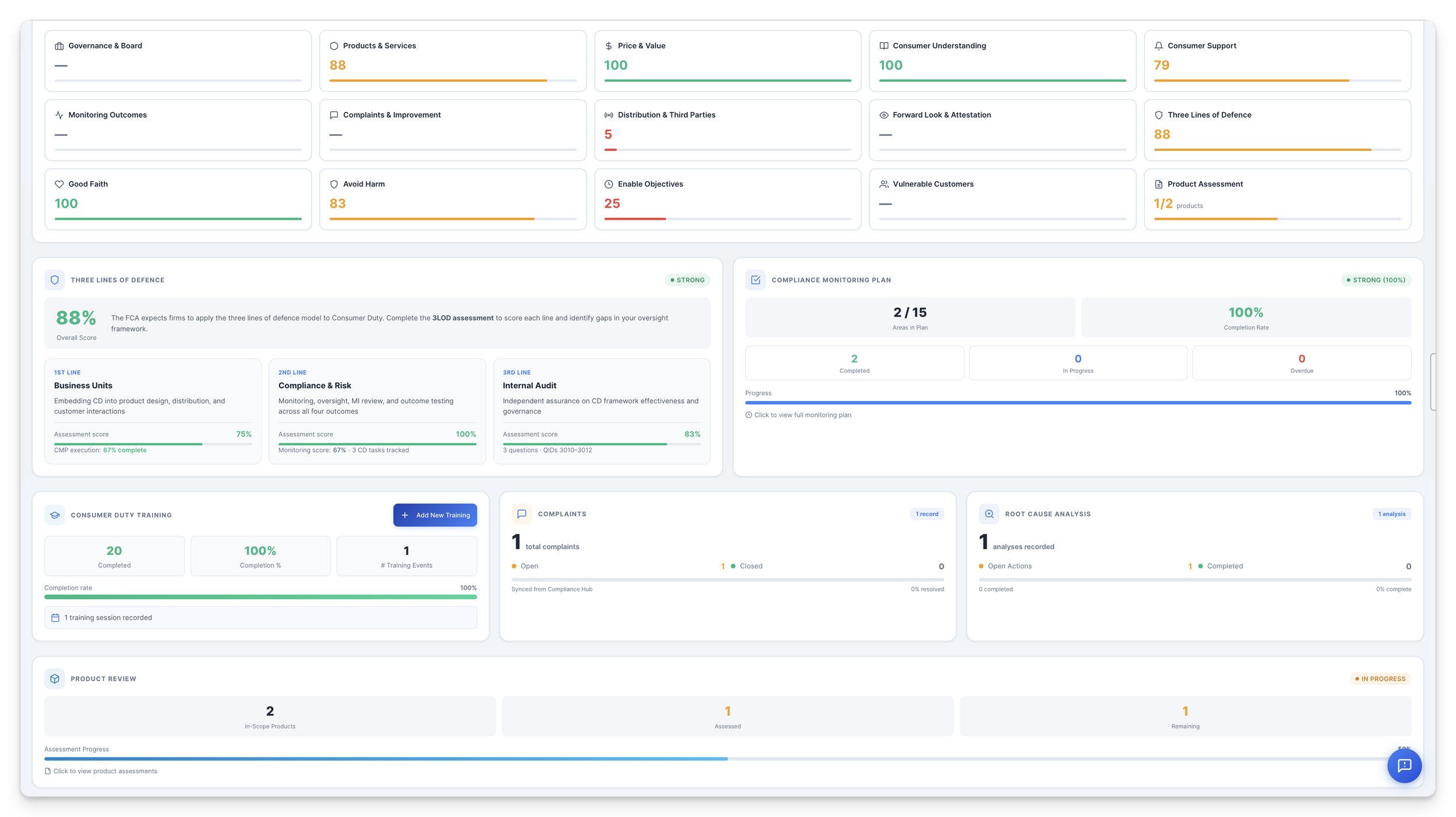
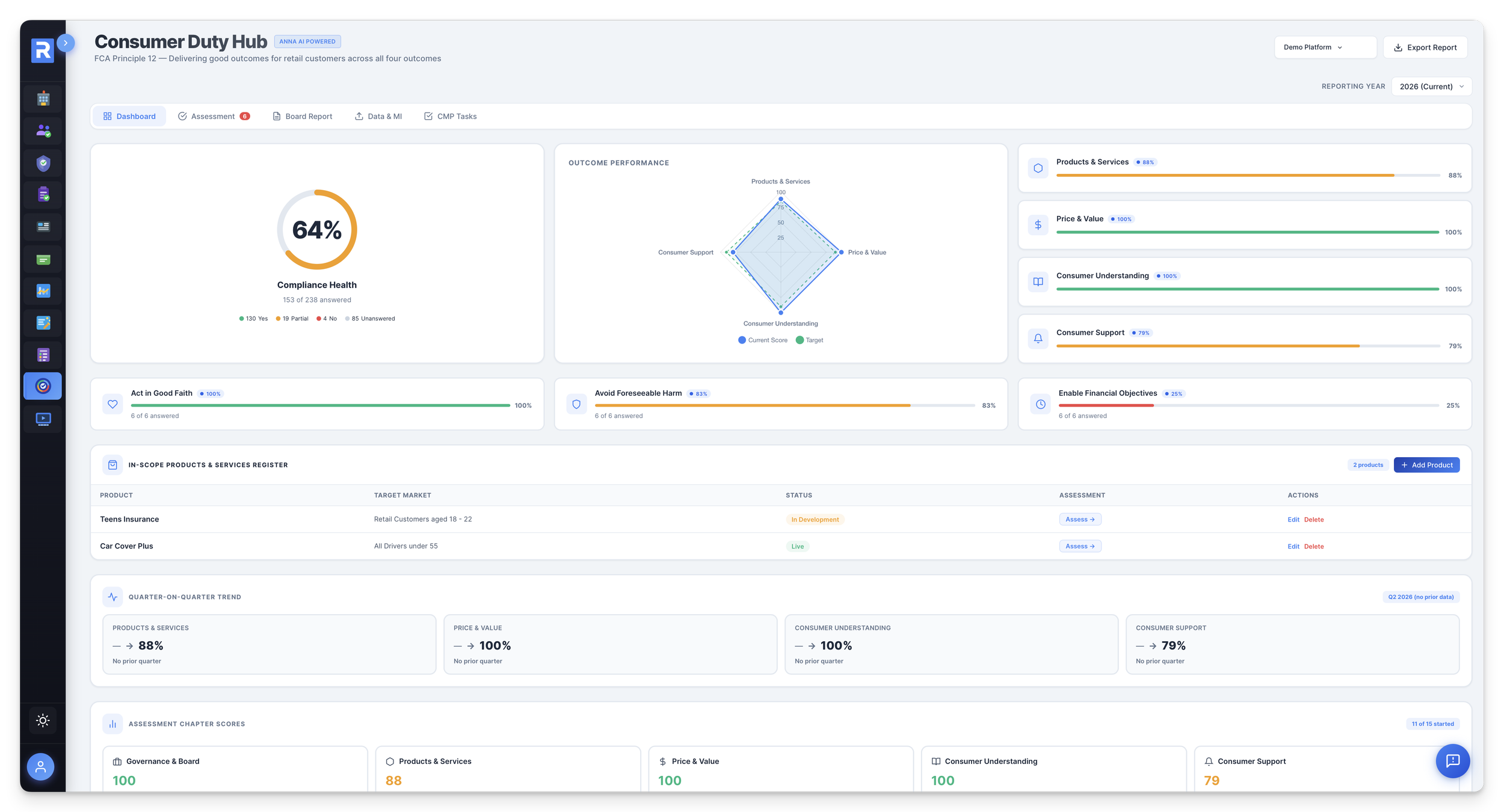
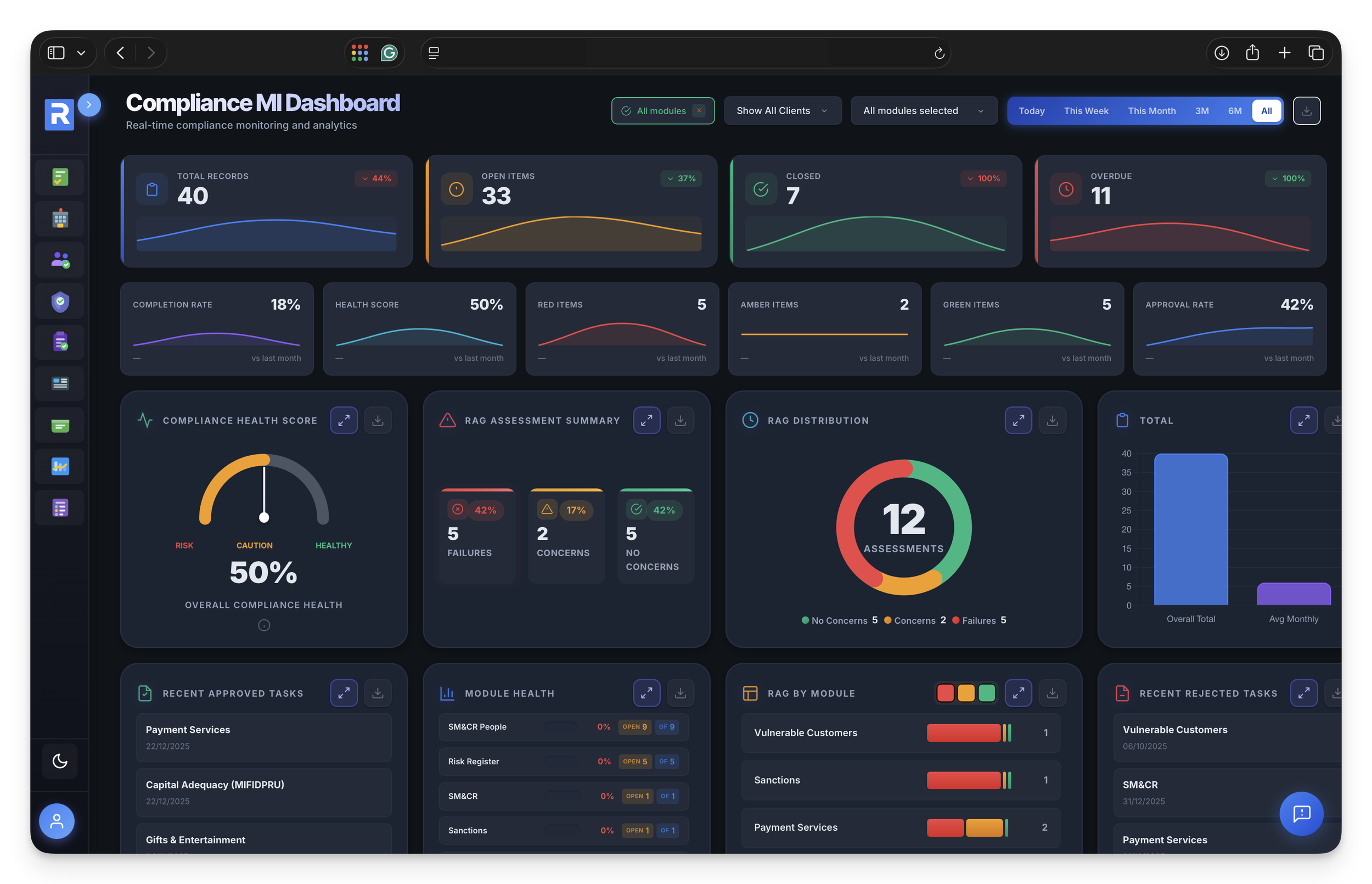
Kiosk Mode exposes any Compliance Hub form as a firm-branded public page. Circulate a URL and password to staff, contractors or third parties — they submit surveys, attestations, declarations and disclosures without needing a platform login. Every response lands in your Compliance Hub, ready for review.
£50/month · Add to any RegTechPRO subscription · Cancel any time
7-day free trial included with every plan. No commitment required.
A
Anna AI
FCA Compliance Partner
“Here are your 3 immediate actions before the FCA supervisory visit…”
SYSC 6.1.1R · MLR Reg 21
Compliance Health
94%
✓
Annual Board Report
29 pages · Ready
Data Protection Review
JM
✓
25+ Years FCA Expertise
Bank-Grade Encryption
SOC 2 Infrastructure
ISO 27001 Infrastructure
UK Based & Hosted
ICO Registered
The Problem
Getting data from non-users shouldn't feel like this
Whenever your firm needs attestations, declarations or survey data from staff who don't have a platform login, the process collapses into email chases, paper forms and shared spreadsheets. This is where most compliance teams lose their time.
Non-users locked out of your platform
200 staff need to submit an annual declaration. Buying each of them a £60/month platform seat is absurd — but they still need to return the form, and you still need the data in one place. Your current answer? A Word template over email.
Annual_Declaration_2026.docx
Staff_Attestation.docx
Gifts_Register_Template.docx
Spreadsheet attestations that nobody trusts
Responses arrive by email, get copy-pasted into a master spreadsheet, and the version-control chaos begins. Was that row from v7 or v9? Did Matt in Operations submit? An inspector asks — and the spreadsheet can't answer.
Conflicts_Master_v9.xlsx42 rows
Gifts_Register_2026.xlsx17 rows
Attestation_Tracker.xlsx? rows
Chasing declarations, week after week
The annual Conflicts attestation goes out. A week later, 40% have replied. Another fortnight of reminders, the inbox is a graveyard of “yes done” replies without the form attached, and your real job is on hold.
43% in
Still chasing 115 of 200.
No audit trail when it matters
A supervisor wants to see who attested, when, and what they said — not whether your inbox still holds the reply. Email attestations give you no timestamp, no provenance, no record you can export to the FCA.
Who submitted? — unknown
When? — somewhere in Q2
Exportable record? — none
If your declarations, surveys and attestations live in email chains and master spreadsheets — Kiosk Mode is for you.
The Solution
Public forms, private data.
Expose any Compliance Hub form as a firm-branded password-protected public page. Staff, contractors or third parties submit — responses flow back into your tenant, tagged, timestamped, fully audit-trailed.
The firm-branded public page your staff, contractors and third parties land on. Your logo, your colours, one shared password. They unlock, see only the forms you've exposed, submit — no platform login, no seat required.
Drag-and-drop field builder. Text, choice, attachments, signatures, conditional logic. Reuse any Compliance Hub form or build a new one in minutes — gifts registers, conflicts attestations, SM&CR sign-offs, whistleblowing channels, supplier DD packs.
Live completion-rate tracker inside Compliance Hub: who's submitted, who hasn't, when they arrived, full audit trail. Every Kiosk response carries a KIOSK provenance chip so reviewers know it came from a non-platform user.
What's Included
Everything you need to run forms at scale.
Public Kiosk URLs, password protection, branded pages, drag-drop form builder, response tracker, live completion rate, audit trail, Compliance Hub sync — the whole data-capture surface for users who don't need a platform seat.
Flagship · Public link
One branded URL. Every form you need from non-users.
Your own firm-branded public page hosted on RegTechPRO. Choose which Compliance Hub forms to expose, set the password, share the link. Staff unlock, submit, done – responses appear in your platform tagged with a KIOSK provenance chip.
yourfirm.regtechpro.co.uk
LIVE
✓ Annual Conflicts Attestation
✓ Gifts & Entertainment Register
✓ SM&CR Code of Conduct Sign-off
✓ Data Protection Training Confirmation
✓ Whistleblowing Disclosure Channel
✓ Supplier / Third-Party DD Pack
+ any Compliance Hub form you expose
A
“yourfirm.regtechpro.co.uk – 187 of 214 staff have submitted. 27 outstanding. Shall I draft the reminder?”
Branded link
187 / 214
KIOSK chip attached
Password gate
One password. Your people. No one else.
Every Kiosk page is locked behind a shared password you set – rotate it each campaign, revoke in a click. Bot-shield and rate-limits defend against the open internet without any infrastructure work on your side.
Gate unlock
SECURE
Kiosk Password
• • • • • • • • • •
Bot-shieldedRate-limitedRotate any time
TLS 1.3 · AES-256 at rest · UK-hosted
Unlock OK
Drag-and-drop builder
Build a form in minutes. Reuse any Compliance Hub form in seconds.
Text, choice, multi-select, date, attachment, signature – every field type you need. Conditional logic. Mandatory-field rules. Or just tick which Compliance Hub forms you want exposed and you're live.
Field palette
8 TYPES
Short textLong textSingle choiceMulti-selectDateAttachmentSignatureConditional logic
Drop to add
Response tracker
Every submission, live, inside Compliance Hub.
Responses flow straight into your tenant's Compliance Hub – same schema, same record object as a platform-user submission. Reviewers filter, approve, action. Nothing to reconcile between kiosk and platform data.
Live inbox
5 NEW
Submission
Source
Time
Matt Telbott
Kiosk
2 min ago
Sara Hughes
Kiosk
14 min
David Ngozi
Kiosk
28 min
Li Zhang
Kiosk
1 hr
Jane Matthews
Platform
2 hr
Just in
Matt Telbott
Completion rate
Live attestation progress.
Watch submissions land in real time. See who's done, who hasn't, who needs a nudge – without opening your inbox.
Campaign progress
87%
87%
187 of 214
Submitted187
Started12
Outstanding15
+14 this hour
Branded experience
Your logo. Your colours. Their survey.
Staff land on a page that looks like it came from your firm, not a generic SaaS vendor. Logo, palette, welcome copy, firm domain – all configurable, all respected.
Kiosk preview
YOUR BRAND
F
Your Firm · Annual Conflicts
Logo uploadColour paletteWelcome copyFirm subdomain
On-brand
Provenance chip
Every kiosk response, clearly tagged.
Records that arrive via Kiosk carry a KIOSK source-tag chip inside Compliance Hub – mirroring the way Policy Studio submissions are flagged. Reviewers see provenance at a glance.
Source tags
3 RECORDS
Gifts entry #218KIOSK
Conflicts #491KIOSK
SMCR sign-off #77PLATFORM
KIOSK source
Seat economics
£3,000/month of seats → £50/month of Kiosk.
A 50-person firm buying 50 platform seats at £60/month = £3,000/month – most of whom only ever submit one form a year. Kiosk Mode collapses that into a single £50/month surface and keeps your data in one place.
Cost per response
60× cheaper
£50
per month
∞
submitters
£0
per response
Submissions this year
Same data, one place
Canonical use cases
Attestations, declarations, surveys – at scale.
Whatever form your firm circulates to a population who doesn't need a login, Kiosk handles it. Annual, quarterly, ad hoc – one branded URL, one password, one audit trail.
Form templates
9 READY
Gifts & EntertainmentConflicts of InterestSM&CR sign-offsCode of ConductDP trainingWhistleblowingNew-joiner declarationsSupplier DDStaff surveys
Annual · Quarterly · Ad hoc
Auto reminders
Chase yourself out of the inbox.
Schedule reminder cadences from the platform. Kiosk tracks who's submitted – the rest get nudged. You sign off, not chase.
Reminder schedule
3 ROUNDS
1Day 0 · Invitation
2Day 7 · Nudge
3Day 14 · Final call
3
reminder rounds
+34%
avg. uplift
Scheduled
Identified or anonymous
Named Gifts log. Anonymous whistleblowing channel.
Each Kiosk form can be toggled identified or anonymous. A Gifts register names Matt Telbott; a whistleblowing submission never does. Your choice, per form.
Toggle per form
2 MODES
Gifts & EntertainmentIdentified
WhistleblowingAnonymous
IdentifiedAnonymousHybrid
“Anonymous channel – no IP, no session, no reverse-lookup. PRIN 11 & whistleblowing-safe.”
Per-form toggle
Audit trail
Every submission, time-stamped and exportable.
Who submitted. When. From where. What they said. What they changed. Exportable to the FCA, to internal audit, to a s.166. No reconstruction, no scramble.
Coverage
100%
Coverage
100%
Recent events
s.166 ready
Architectural elegance
Compliance Hub is the data primitive. Kiosk is a cheap viewing surface on the same data.
A Gifts entry submitted via Kiosk is the same record object as one entered inside Compliance Hub – just arriving through a different door. No duplicate schema, no sync issues, no reconciliation. One set of data, two ways in.
£50/month · Add to any RegTechPRO subscription · Cancel any time
Anna AI for Kiosk Mode
Let Anna analyse your Kiosk responses and draft the summary.
Once submissions start landing, Anna reads the lot: 214 conflicts attestations, 73 gifts entries, a whistleblowing disclosure flagged for urgent review. She clusters themes, spots outliers, summarises for the board — so you stop reading the 200th “no conflicts to declare” and get to the one that matters.
Hi, I'm Anna!
KIOSK RESPONSE ANALYSIS · SUMMARY DRAFTER
Your Kiosk response analyst and summary author, in one.
Anna reads every Kiosk submission as it lands, clusters it by theme, surfaces the outliers that need your eyes, and drafts the board summary of an attestation campaign, a gifts register quarter, or an annual Conflicts declaration — in minutes, not days.
Analyses every Kiosk submission the moment it lands
Clusters by theme, flags outliers, escalates anything unusual
Drafts the board summary from the live response set
Never attests on anyone's behalf — you review and sign off
Your Kiosk response analyst
Ask Anna to summarise your campaign. Get a board-ready write-up.
“Summarise the 2026 Conflicts campaign.” “Flag any gifts entries over £250.” “Did anyone disclose an outside business interest?” Anna reads your Kiosk responses, clusters by theme, surfaces the outliers, and drafts the paper — in seconds, from live data.
Reads every Kiosk response as it lands
Clusters by theme, flags outliers
Drafts board-ready campaign summaries
Available across every Compliance Hub form
A
Anna AI
Online · AI Compliance Advisor
Summarise this quarter's Gifts & Entertainment Kiosk campaign. Flag anything unusual.
73 submissions across Q1 from 214 staff (34% participation). Three things worth board attention:
1 entry above £250 threshold — Matt Telbott, hospitality from Client X £420 (approval escalation routed to SMF16)
Cluster of tickets from Vendor Y — 6 staff logged sports hospitality from the same supplier in March; worth a conflicts check
2 late declarations — events in January logged in April, breach of 14-day rule
Draft board summary ready in your Gifts register — review, edit and sign off.
How firms are replacing email chases and master-spreadsheets with a single Kiosk URL.
5.0
Running the annual Conflicts & Gifts attestation across 214 staff used to swallow most of January. Two weeks of chasing, spreadsheets that didn't match, and no audit trail worth showing an inspector. We stood up a Kiosk page on a Tuesday, circulated the link, had 87% returns by Friday and a clean register inside Compliance Hub. We're not buying 214 platform seats to run one form a year — this is the bit of the platform that pays for itself in week one.
James HartleyCOO — Wealth Management Firm (210 staff)
4.7
New-joiner declarations, Code of Conduct sign-offs, Data Protection refresher confirmations — every quarter HR was emailing templates and waiting for them to drip back. With Kiosk we published one branded page, staff know the URL, everything lands in Compliance Hub tagged and timestamped. Anna drafts the quarterly board summary from the response set. I get my afternoons back, and for the first time an inspector could actually see who attested, when, and exactly what they said.
Li ZhangHead of HR — Retail Investment Firm
FAQs
Kiosk Mode — Questions Answered
Everything you need to know about Kiosk pages, password protection, response handling, and the seat-economics maths.
What exactly is Kiosk Mode?
A firm-branded, password-protected public page hosted on RegTechPRO's infrastructure. You choose which Compliance Hub forms to expose (a Conflicts attestation, a Gifts register entry, a SM&CR sign-off, a whistleblowing channel, a supplier DD pack, a staff survey — anything) and publish the page. You circulate the URL and password to your population (staff, contractors, third parties). They submit without ever logging into the platform. Every response flows back into your tenant's Compliance Hub as a normal record.
Which forms can I expose on a Kiosk page?
Any form that already lives in your Compliance Hub, plus any new form you build in the drag-and-drop form builder. Canonical uses: Annual Conflicts of Interest attestation, Gifts & Entertainment register entries, Code of Conduct / SM&CR sign-offs, Data Protection training confirmations, whistleblowing disclosures, supplier / third-party onboarding DD packs, new-joiner declarations, staff pulse surveys, COVID-return attestations, CPD confirmations. You decide, per campaign, which forms appear.
Where do the submissions go?
Straight into your tenant's Compliance Hub — as the same record object a platform user would create. A Gifts entry submitted via Kiosk is indistinguishable in schema from one entered inside the platform, with the sole difference that it carries a KIOSK provenance chip so reviewers know it arrived through the non-user door. No CSV import, no sync job, no reconciliation.
Can I brand the Kiosk page?
Yes. Upload your logo, set your colour palette, add firm-specific welcome copy, host the page on your firm subdomain (yourfirm.regtechpro.co.uk). Staff land on a page that looks like it came from your firm, not a generic SaaS vendor.
How is the page secured?
Password-protection at the page level (a shared password you set, rotate at will, and revoke in one click), bot-shielding and rate-limits against automated abuse, and the same bank-grade encryption / SOC 2 infrastructure that underpins the rest of the RegTechPRO platform. Kiosk pages are not indexed by search engines and do not expose any tenant data until the password is entered.
Can submissions be anonymous?
Per form. A Gifts register entry is typically identified (“Matt Telbott logged a £50 hamper from Client X”). A whistleblowing channel is anonymous (no PII captured, submissions land with no attributable identifier). The toggle is per-form at configuration time, so you can run an identified Conflicts attestation and an anonymous whistleblowing page from the same Kiosk surface.
Who counts as a “non-user” for Kiosk?
Anyone in your firm or its extended population who needs to submit a form but shouldn't be paying for a full platform seat: the vast majority of staff who only submit a Gifts entry occasionally; Appointed Representative individuals in a principal / AR structure; contractors; suppliers submitting a DD pack; third-party policy signatories. Platform-licensed users still use the main platform — Kiosk is specifically a cheap viewing surface for people whose submission volume doesn't justify a seat.
Can kiosk responses be reviewed, approved, or escalated?
Yes. Because the submitted records live inside Compliance Hub, all the normal review / approval / RAG / workflow tooling applies. A gifts entry above your firm's threshold routes automatically to the approving SMF. A conflicts attestation flags the named individual for review. Anna can summarise a whole campaign in a paragraph for the board.
Can I rate-limit or cap a campaign?
Yes. You can cap submissions-per-IP, close a campaign on a schedule, lock the page after an expiry date, and rotate the password between campaigns so old links die. All enforced at the infrastructure layer.
How much does Kiosk Mode cost?
£50/month flat — £600/year — regardless of how many Kiosk pages you run, how many forms you expose, or how many submissions come through. No per-submission fees, no per-submitter seats. It's the lowest-priced module in the RegTechPRO catalogue and the highest-ROI for any firm above ~50 staff.
How does the seat-economics maths work?
If you have 50 staff who each need to submit one form a year, buying them each a platform seat at £60/month costs £36,000/year to capture 50 submissions. Kiosk at £50/month / £600/year captures the same data in the same record format. For a 200-staff firm running annual Conflicts + quarterly Gifts + SM&CR sign-offs, Kiosk saves ~£140,000 a year in seat-equivalents.
Do I need the whole RegTechPRO platform, or can I just have Kiosk?
Kiosk is an add-on to a RegTechPRO subscription — Compliance Hub is the data primitive it feeds into, so you need the base platform underneath. The base subscription starts at £6,000/year. Add Kiosk at £50/month and any 50-staff firm immediately has a seat-economics ROI, usually within the first campaign.
How long does setup take?
Under an hour for the first Kiosk page. Pick the forms to expose, upload your logo, set the password, publish. The URL is live immediately; you can share it via email, Slack, your intranet, a poster in the office — whatever works for your population.
What does Anna do with Kiosk responses?
Anna reads every submission as it lands, clusters them by theme (common Gifts vendors, conflicts hot-spots, training refusers), flags outliers that need your eyes (a Gifts entry above your threshold, a conflicts disclosure naming a competitor), and drafts the campaign summary paper for the board. She never attests on anyone's behalf — she synthesises and you sign off.
What audit trail do inspectors see?
Every submission is timestamped with user (where identified), date, IP region and any subsequent edits. The KIOSK provenance chip tags every record as non-platform-user-sourced. Exports are FCA-ready: full response set, submission metadata, reviewer actions, approval routing, Anna's summary paper. An inspector asking “show me who attested to the 2026 Conflicts policy” gets a QID-level, evidenced answer, not a Sent Items folder.
Can I reopen a closed campaign?
Yes. Historic campaigns remain read-only by default but can be reopened for late submissions with an audit entry logging who reopened them and why. The Kiosk page can be re-enabled under a fresh password so old shared links don't accidentally re-admit the population.
Does Kiosk work for Appointed Representative networks?
Yes — it's one of the canonical uses. A principal firm overseeing an AR network can circulate annual attestations to AR-employed individuals without buying every one of them a platform seat. Each submission still appears in the principal's Compliance Hub with full audit trail, and the principal's approvers work them inside the platform as normal.
Circulate one URL. Capture every response.
Password-protected, firm-branded public forms for non-users — surveys, attestations, declarations, disclosures. Every submission flows into your Compliance Hub, tagged, timestamped, audit-trailed. £50/month, add to any RegTechPRO subscription, cancel any time.