Capture and evidence the work in one place, sign it off, and let Otto draft the reports the regulator expects — from your own live data. Here's the whole platform, step by step.
14-day free trial, no card needed · Take the tour
Twelve stops: how you get set up, then the order a supervisor follows the evidence. Every one is a real screen, full size. Click a stop to jump to it, or click any screen to look closer.
Your own account, set up from your FRN, with Otto and your account manager beside you.
Where you land: everything that needs you, from every workflow you hold.
The firm's homepage: everything overdue, due or waiting, across every app and workflow.
Expert-built checks with guidance, findings and remediation, owned and dated.
Section by section, with the firm-wide forms dated, rated and approved.
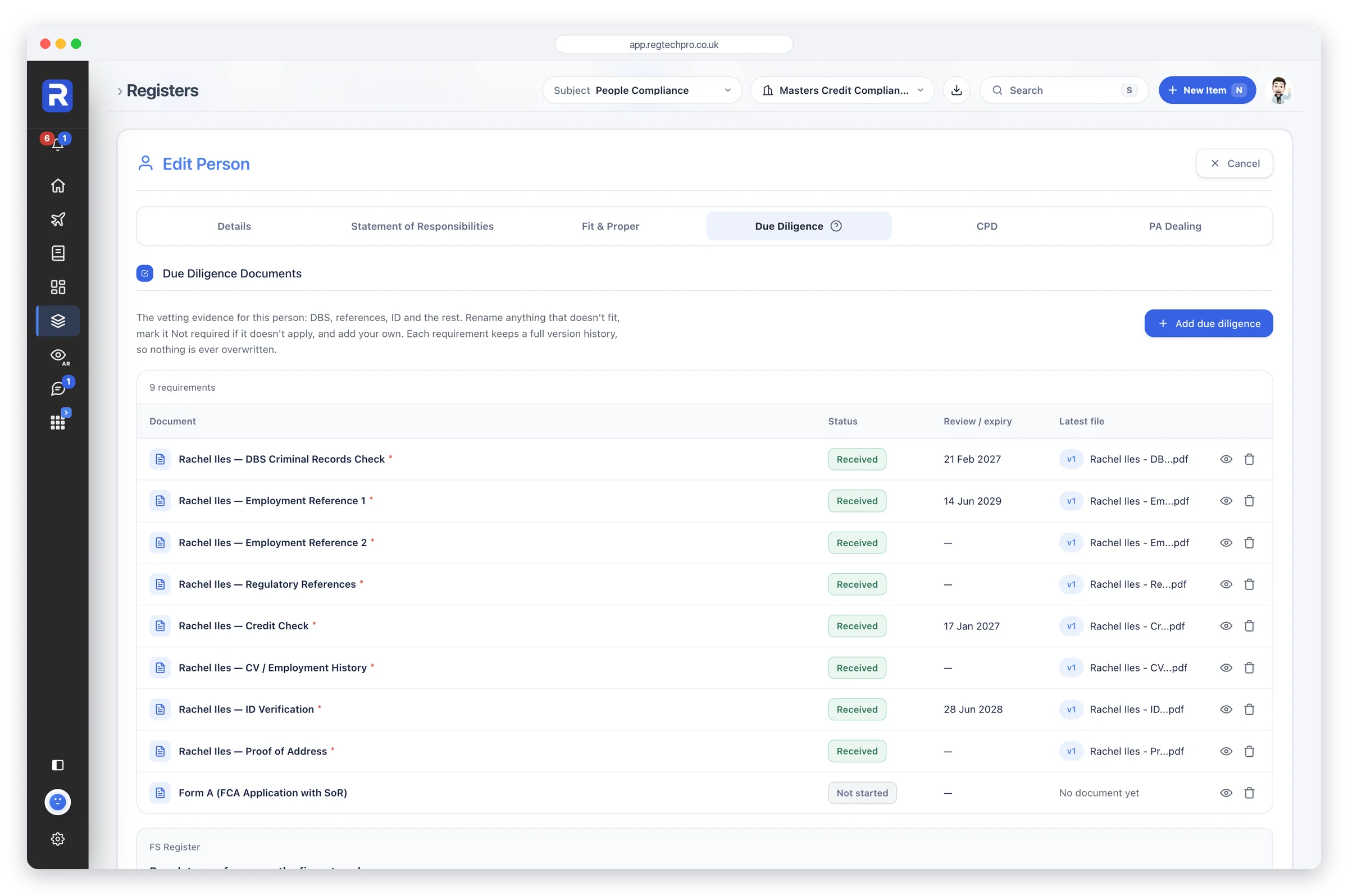
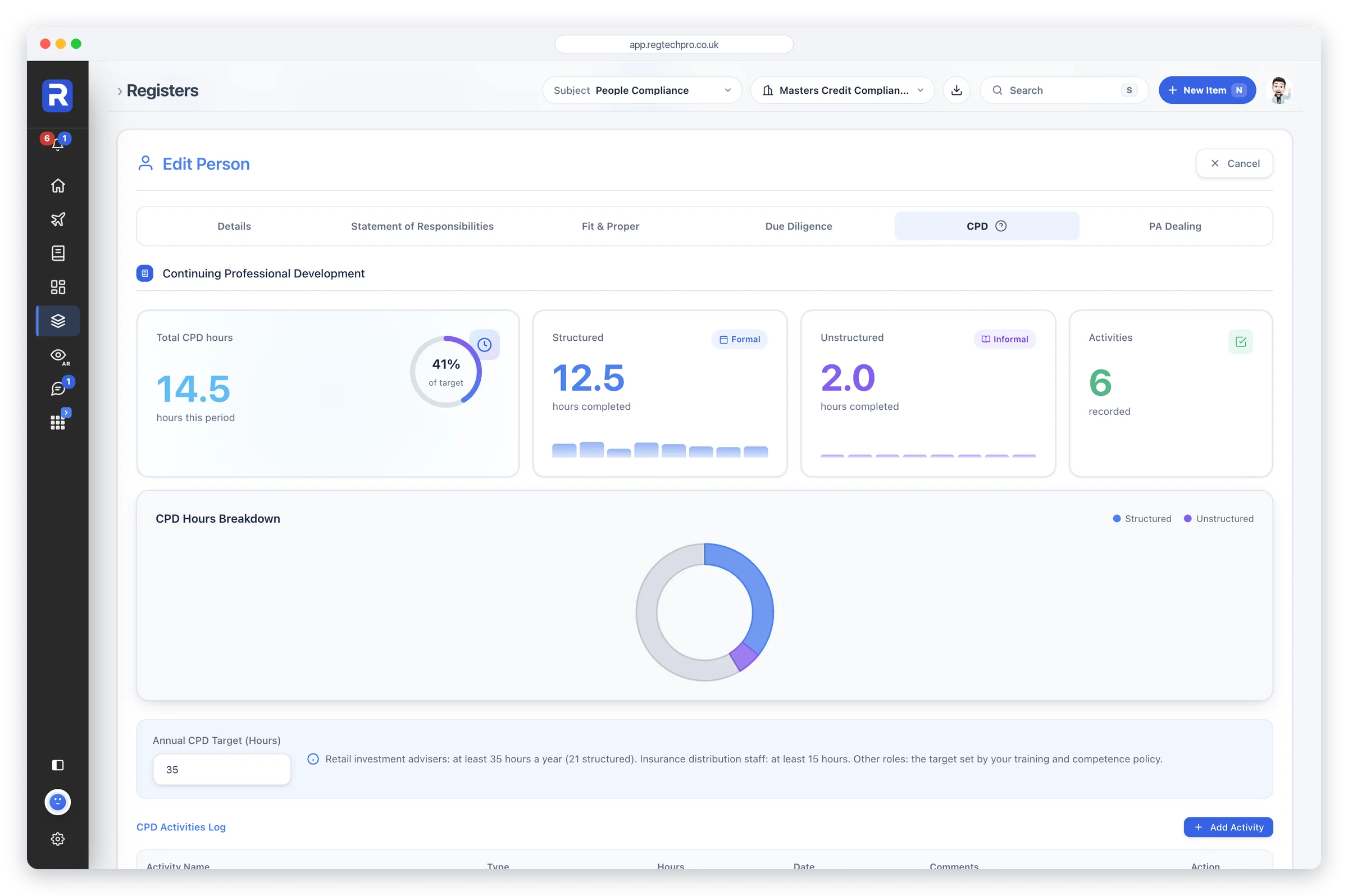
Fit and proper, responsibilities, due diligence and CPD.
Risk, Consumer Duty, Financial Crime, Business Continuity, the Customer Hub, Data Protection and CASS.
13 UK regulators in one feed, and each Handbook change mapped to your plan.
Policy Studio, the Template Vault and the Document Library.
Every regulatory report, built from live data, with Otto's commentary.
Segregated workflows, form-by-form access and approvals.
Every AR in one network view, with a rating each.
Create your free account and you’re in your firm's own workflows, with no card needed. Enter your FRN and the set-up form brings in your permissions from the FS Register, along with the rules they carry.
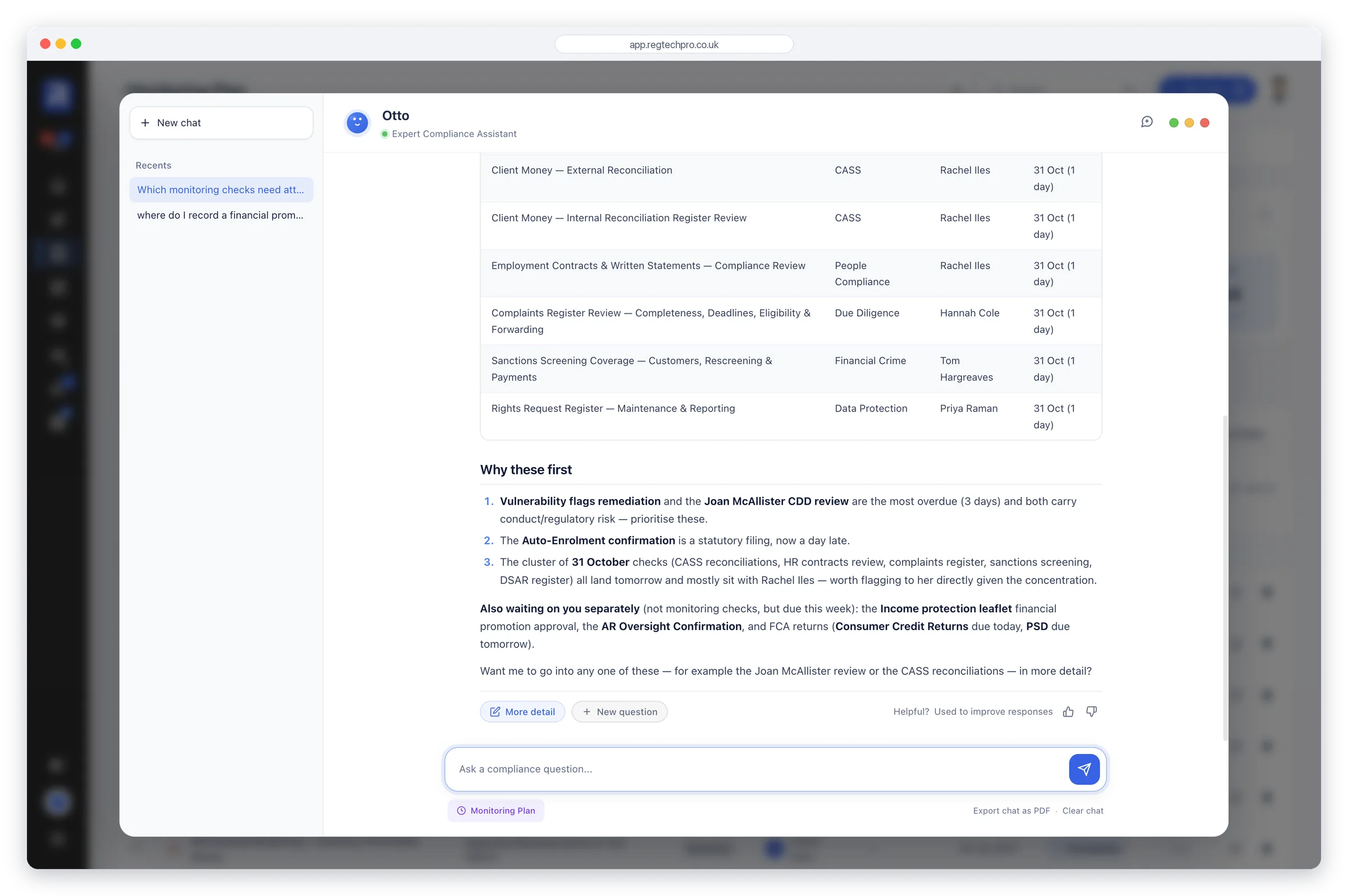
Otto Guidebot then walks you through the platform page by page, showing you where everything is and what to do first. It answers your questions as you go, and every step has a button that opens the page for you.
Your dedicated account manager is on hand to support you in getting set up.
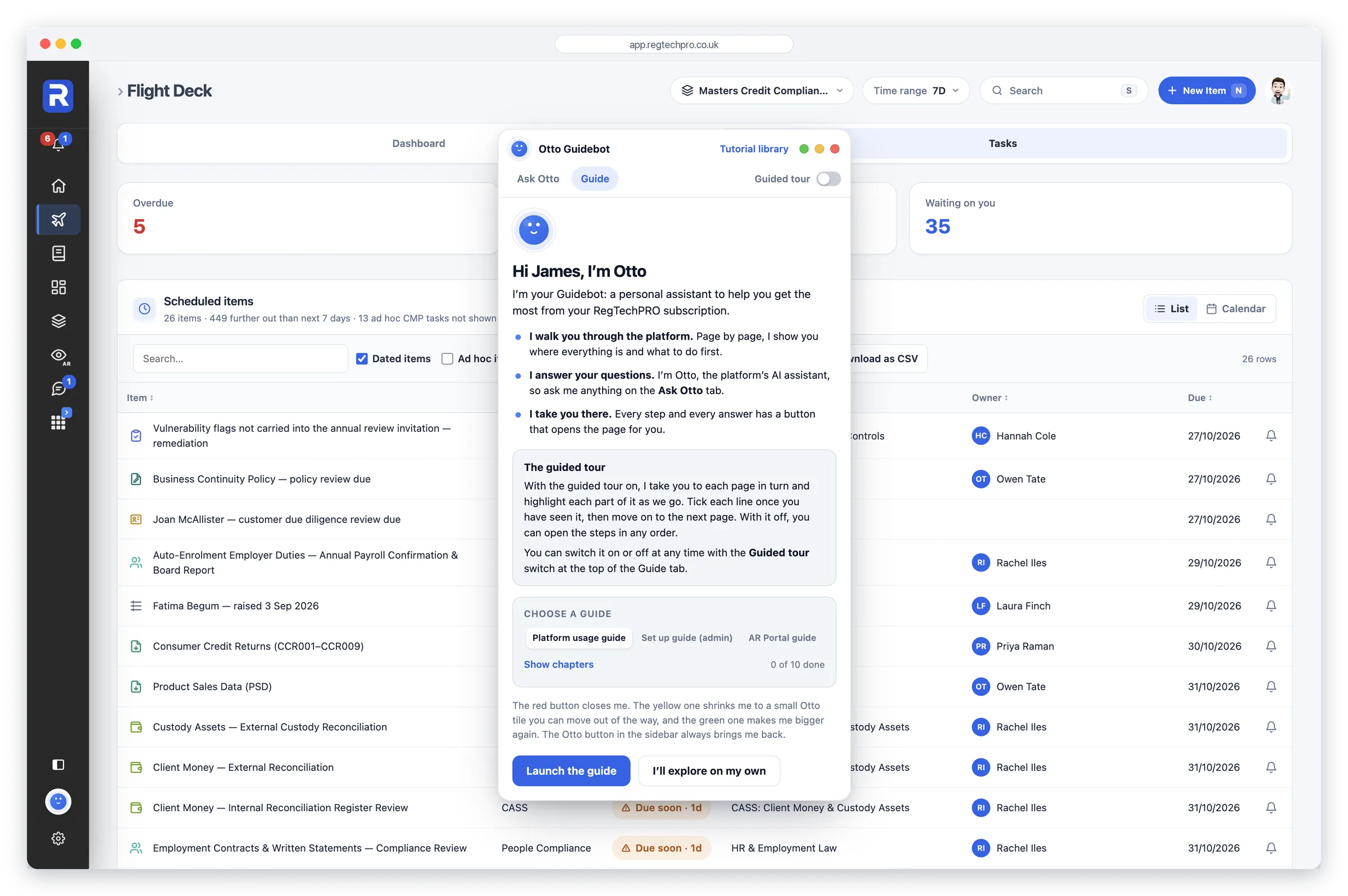
Otto Guidebot. A guided tour of the platform, and answers to your questions as you work.
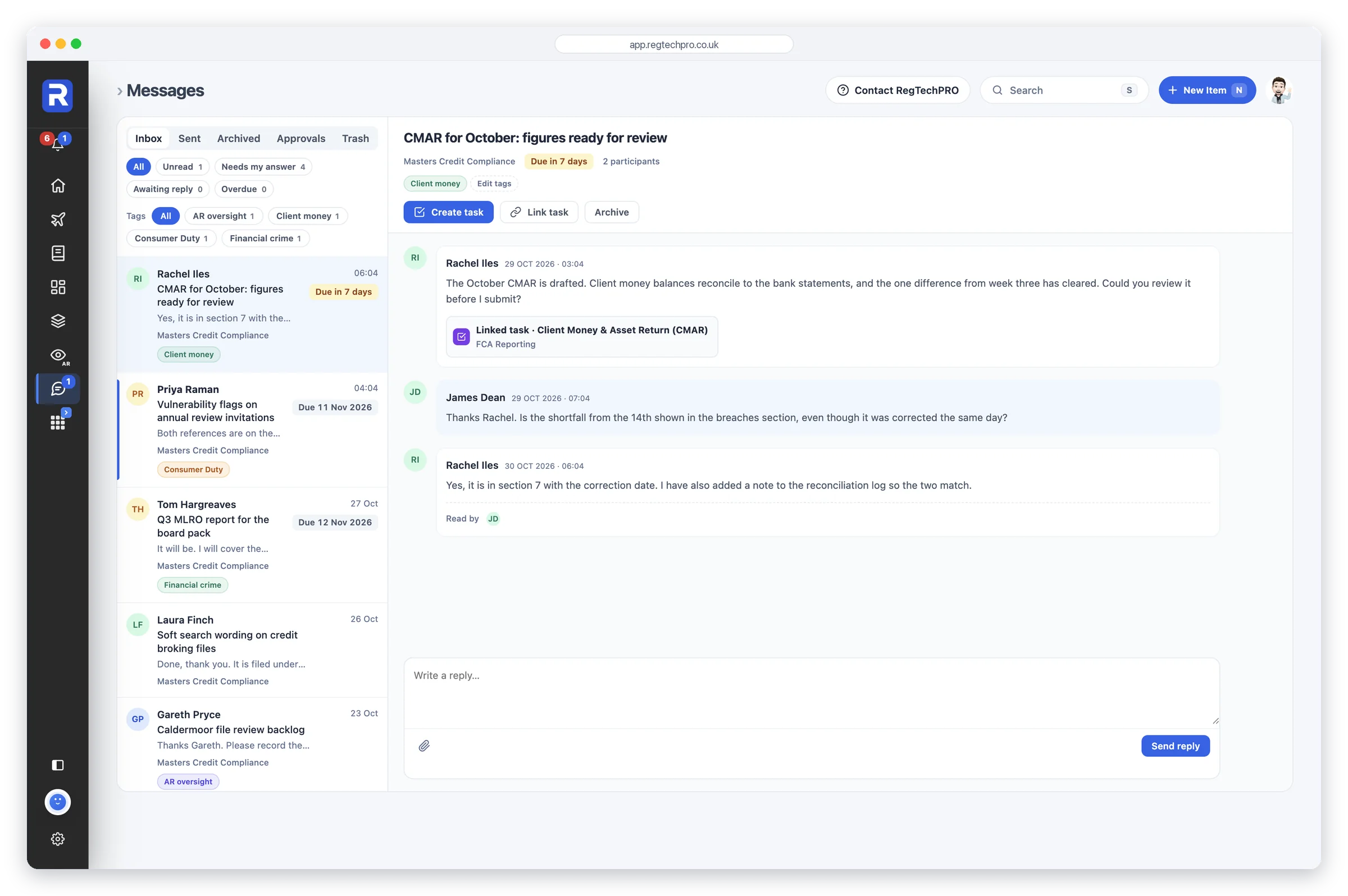
My Homepage is where you land each time you sign in, and it belongs to you. It opens on your next step, then lists everything that needs you from every workflow you hold: approvals, replies, checks and due dates, training and your own record. Each row opens the item where it lives.
Your shortcuts sit alongside, with your own to-dos and reminders. Those are private to you and aren’t a compliance record.
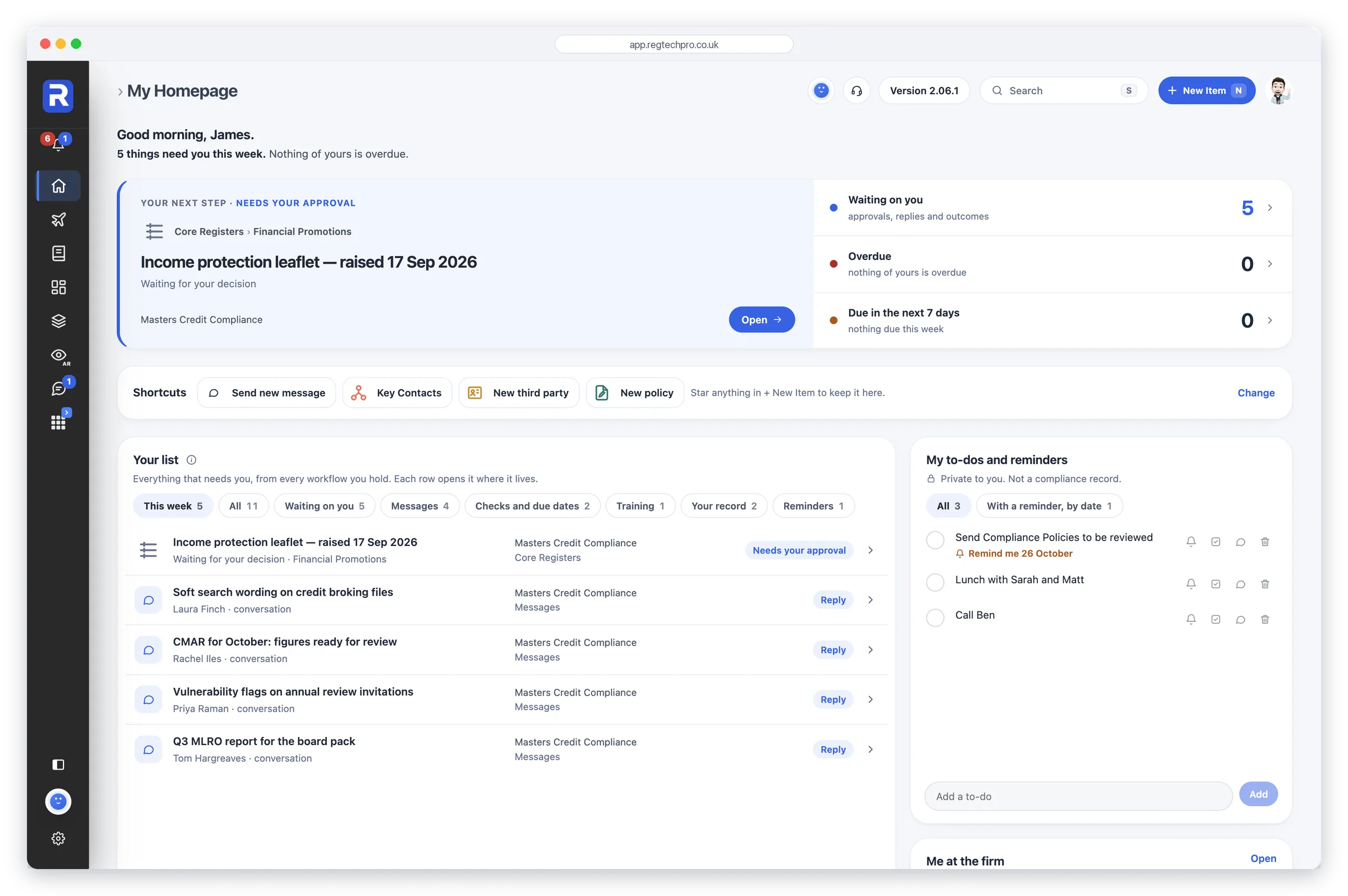
My Homepage. What needs you, from every workflow you hold, with your own to-dos beside it.
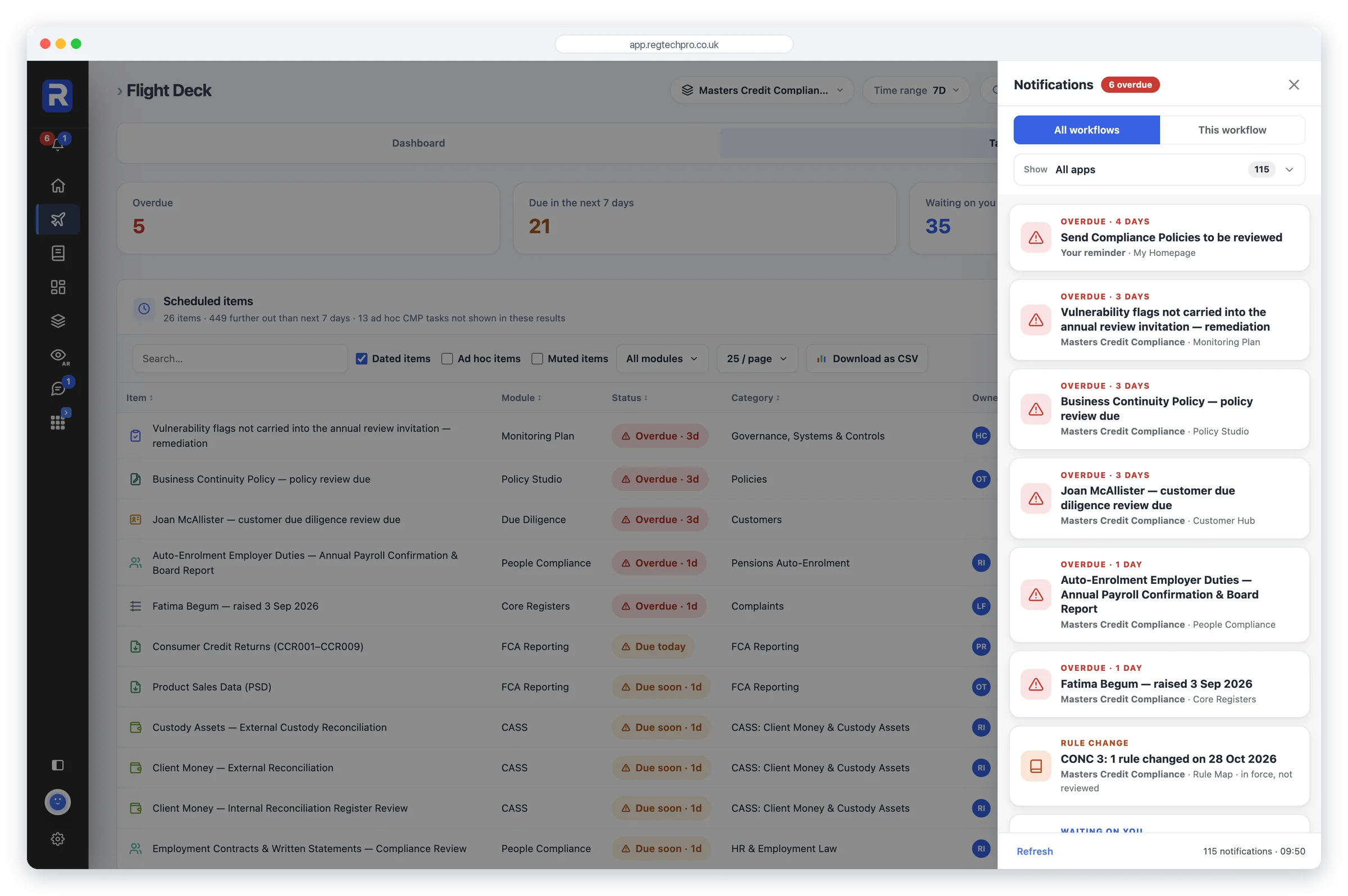
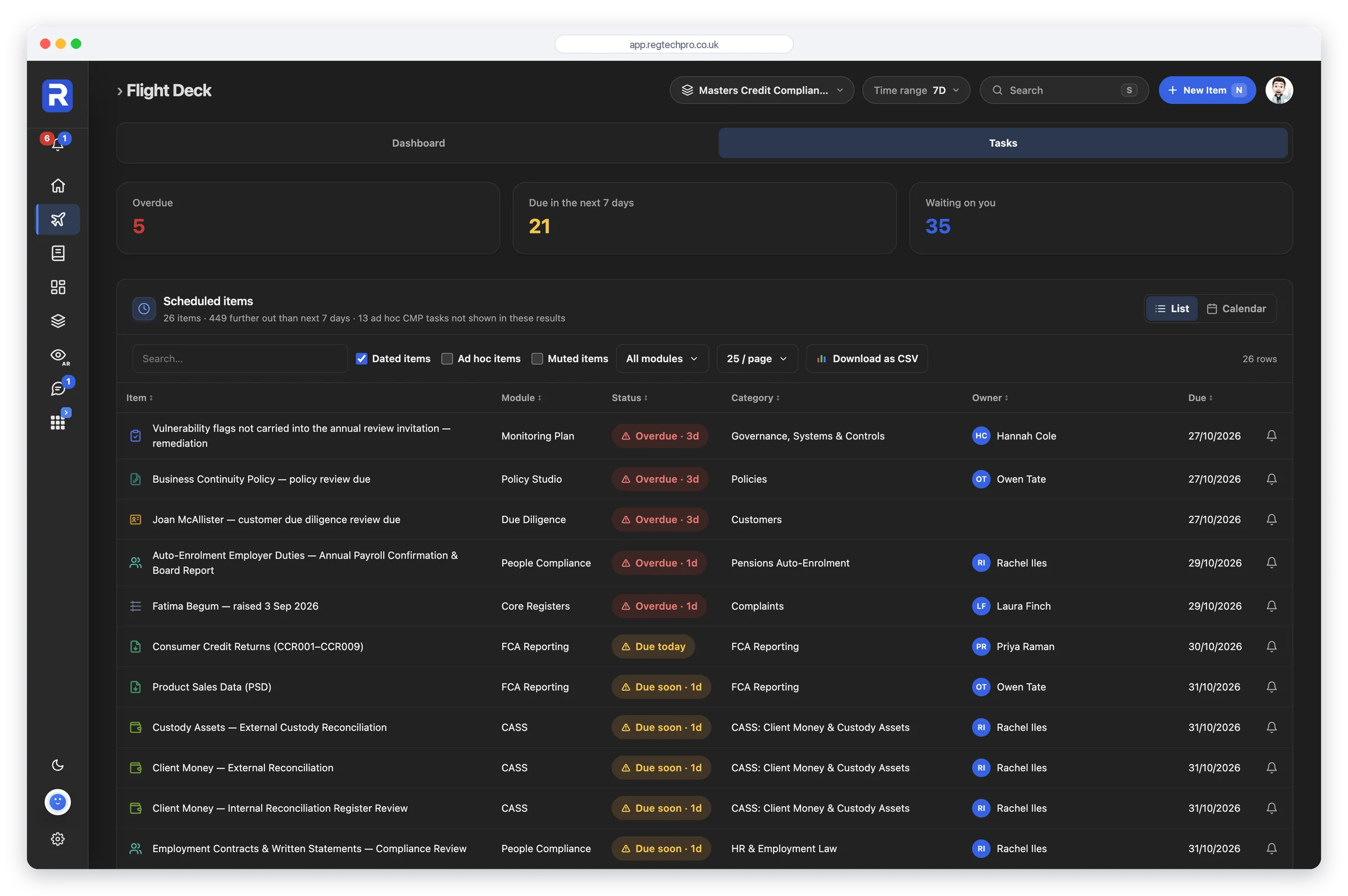
Where My Homepage is yours, the Flight Deck is the firm's homepage, one click away. It gathers everything overdue, due or waiting from every app and every workflow you can reach: monitoring tasks, confirmations, register reviews, fit and proper dates, approvals. Every row opens the real record in its home app, and brings you back when you’re done.
A supervisor's first question is whether the firm knows what it hasn’t done. This is the screen that answers it, in one place, before the question is asked.
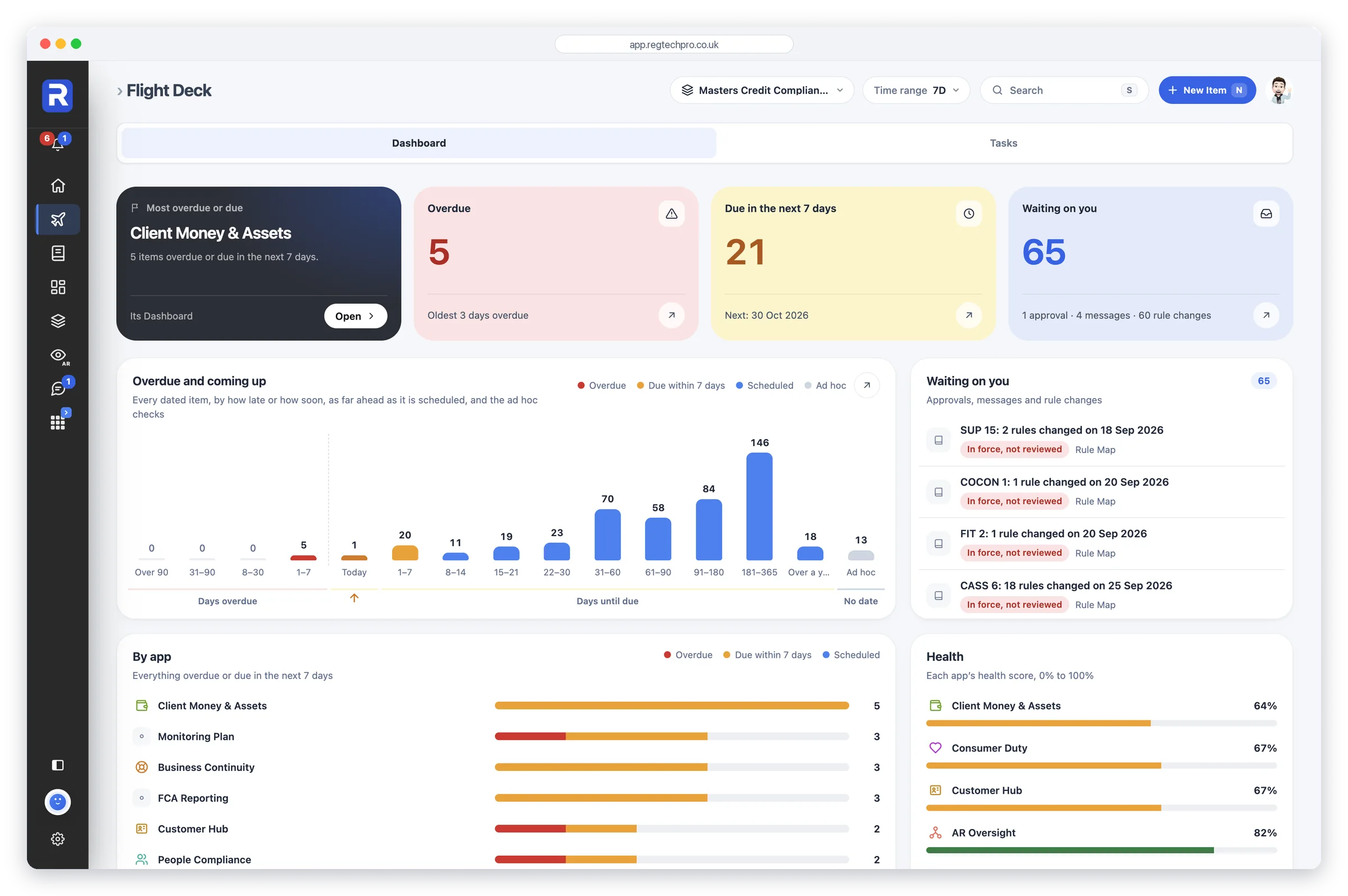
The Flight Deck. Everything overdue, due or waiting on you, across every app and workflow, each row opening the record.
The Monitoring Plan is a schedule, not a document. Each monitoring area carries its category, frequency, owner, last review and next due date, and the Year view lays the plan out month by month so the busy months are visible well ahead.
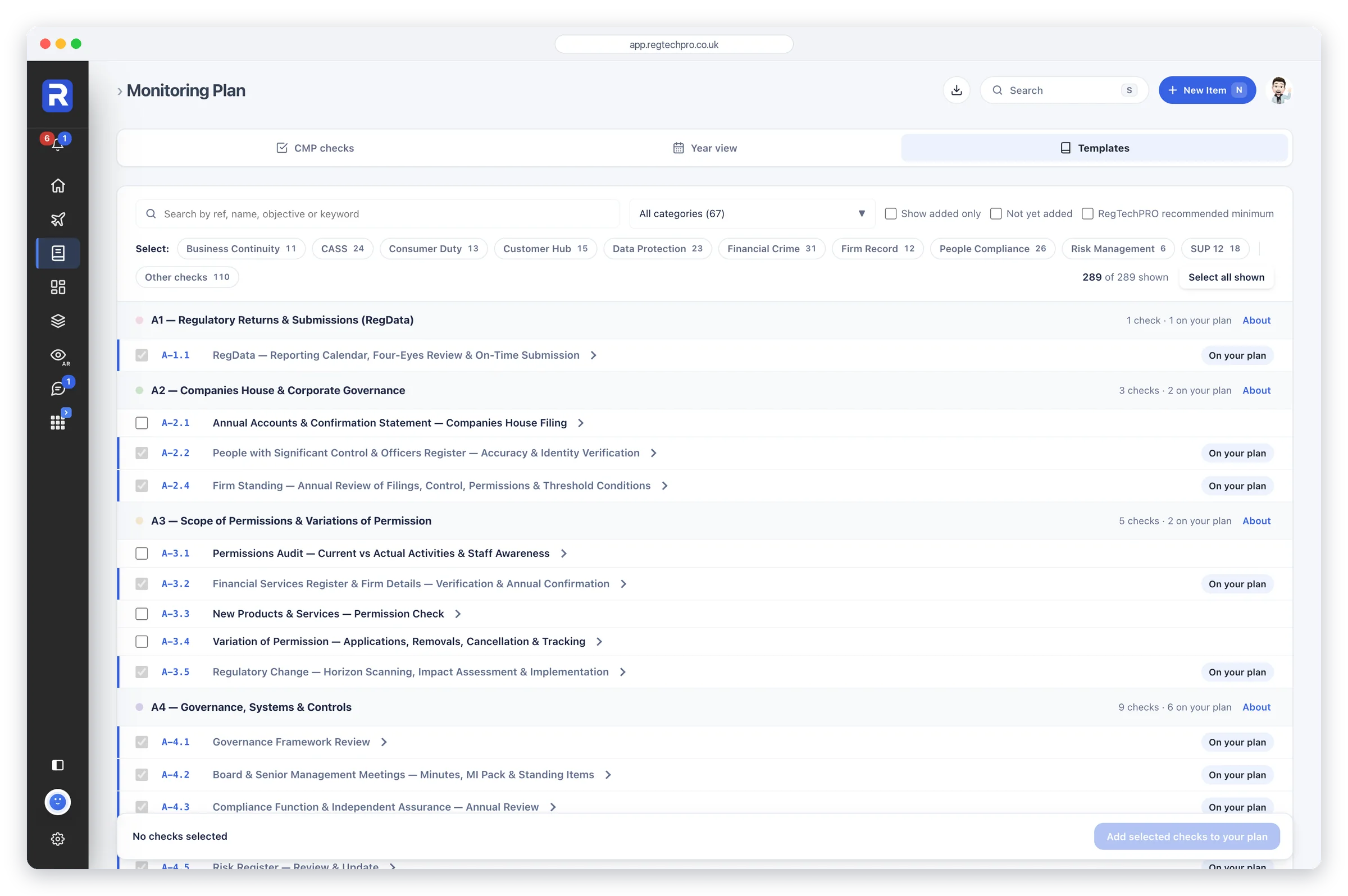
Its checks come from a template library of 1,139 expert-built templates across seven regulators, organised by chapter. Add the recommended checks for an app, or choose your own from Templates, and each arrives with the guidance already written, so the plan is defensible from the day it’s adopted.
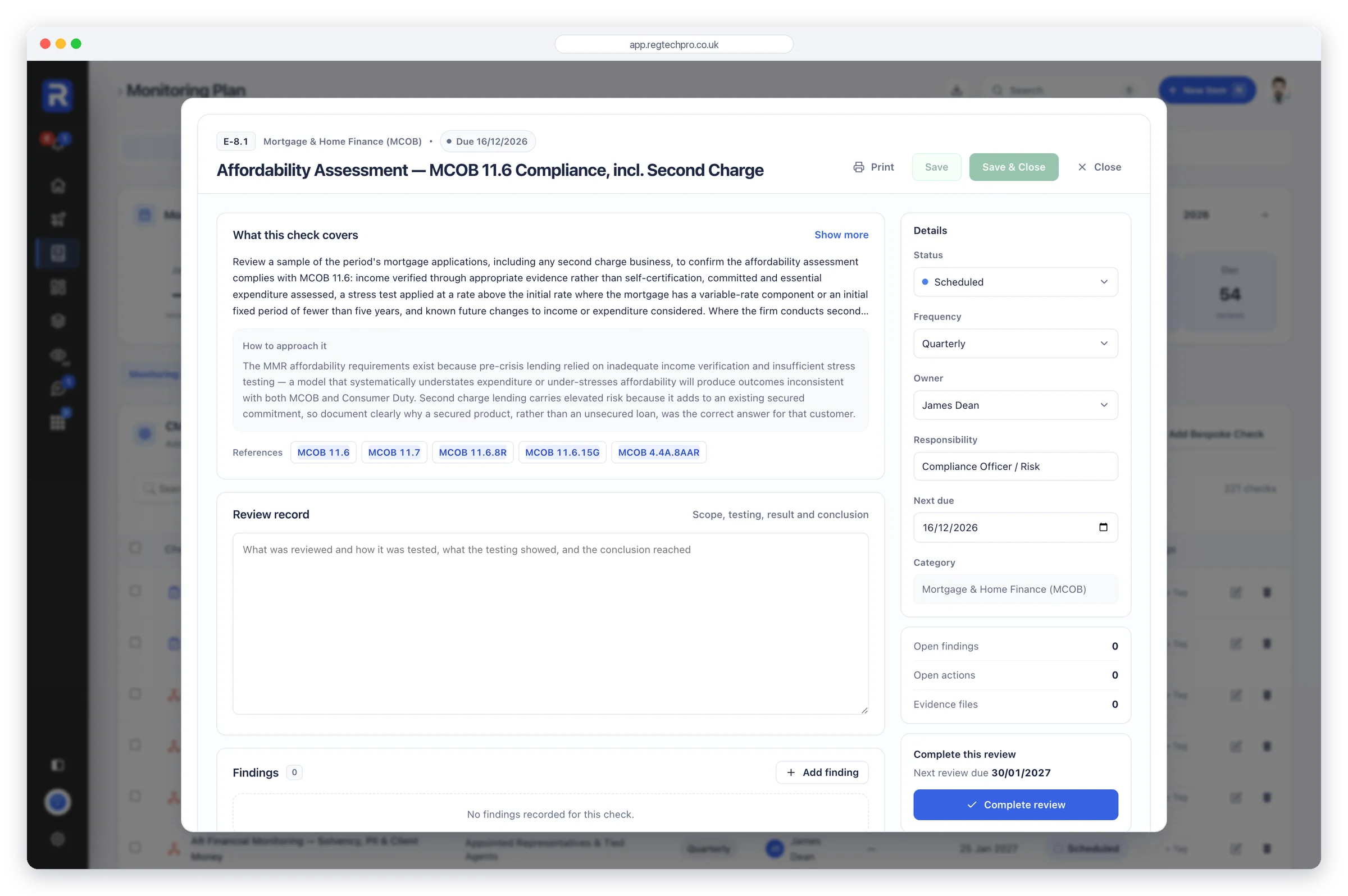
Open a check and the guidance is complete before you start: what the check covers, how to approach it and the pitfalls a supervisor would look for, written by senior compliance practitioners, not generated. Every check cites the rules it tests, and each FCA Handbook citation links straight to the live FCA Handbook.
Log a finding and it carries a severity and remediation actions, each with an owner and a due date. That is the chain a supervisor looks for: the check, what it found, who is fixing it and by when.
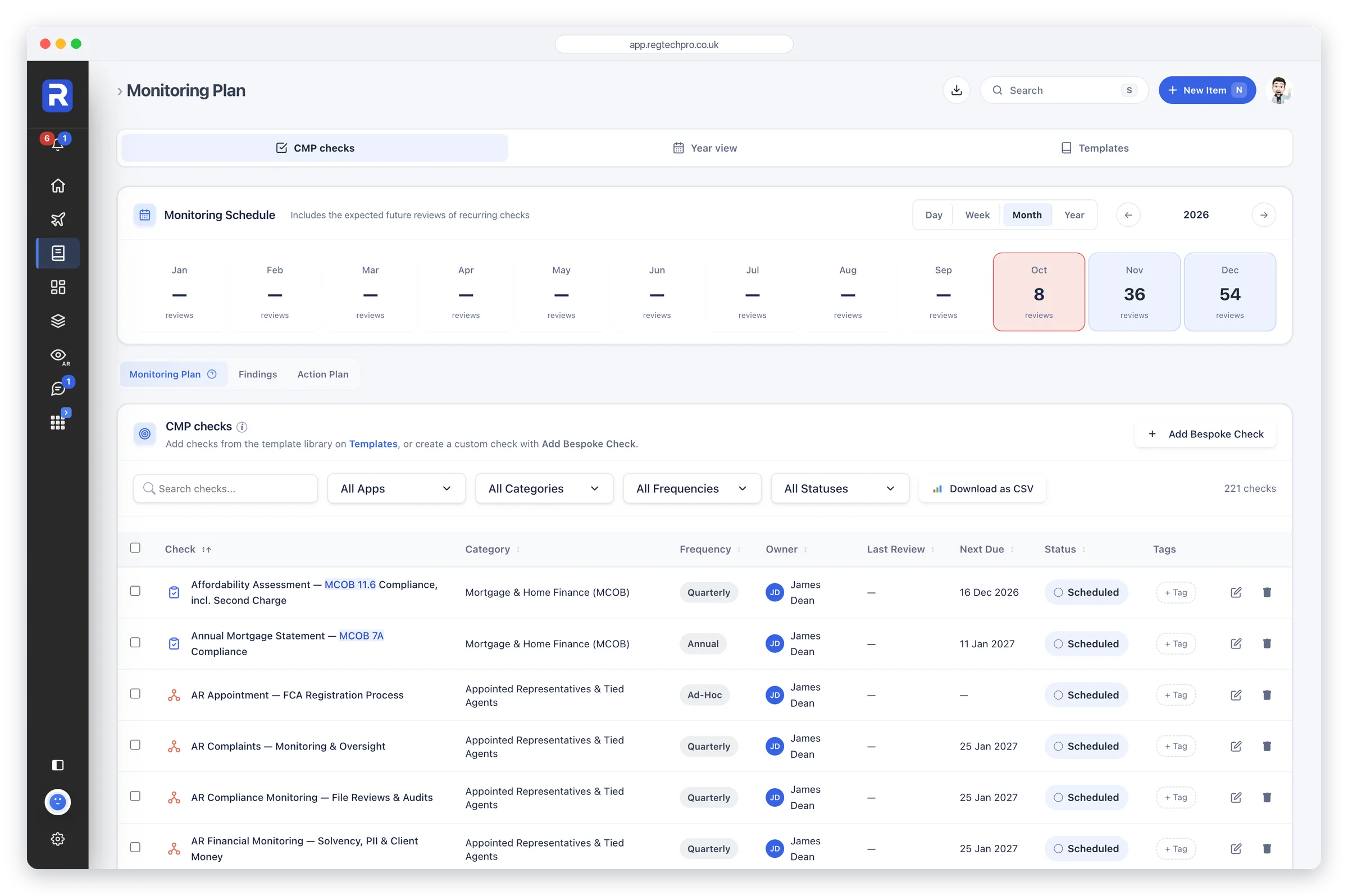
The monitoring plan. A twelve-month schedule above every monitoring area, with its owner, frequency and next due date.
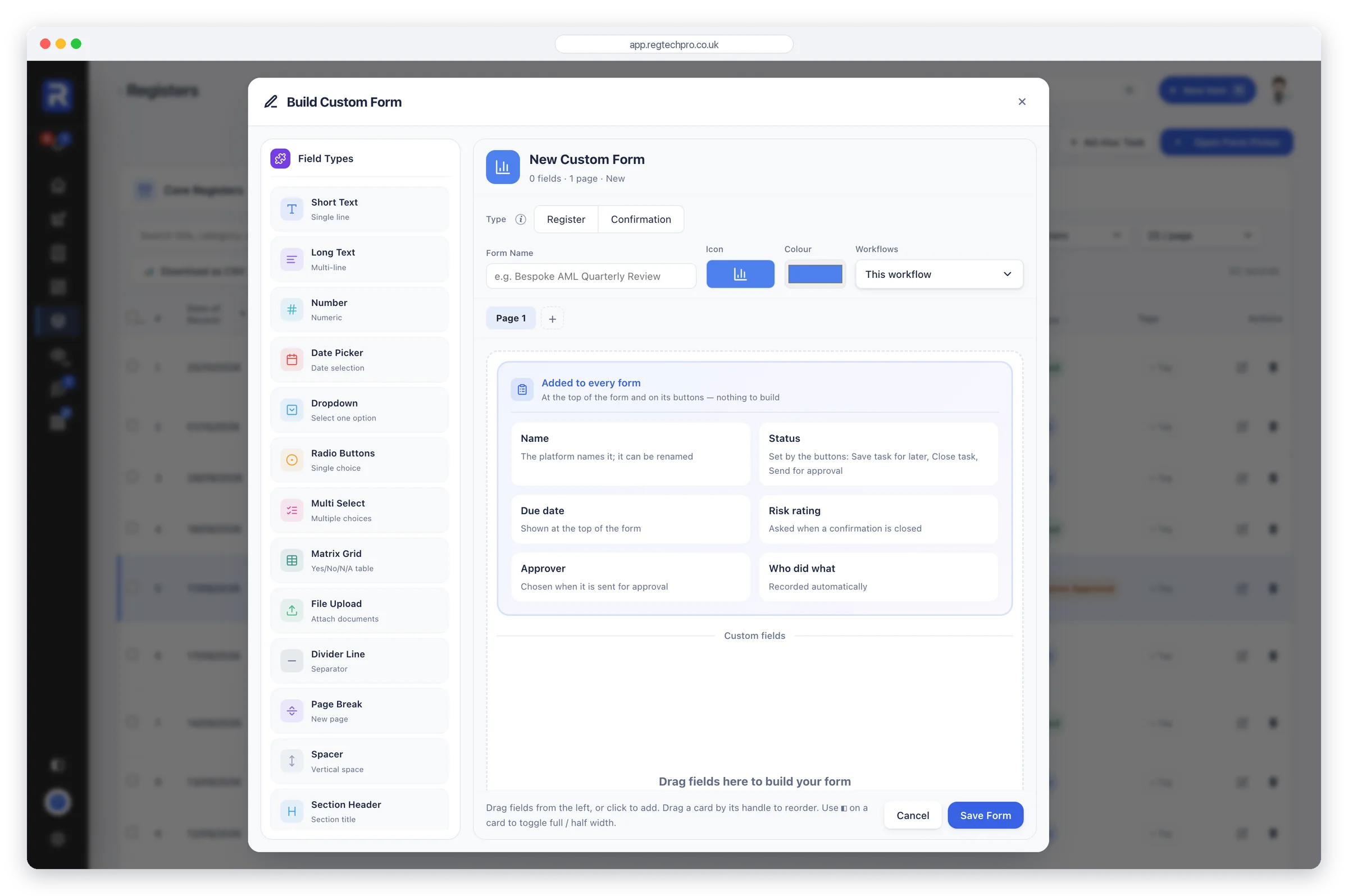
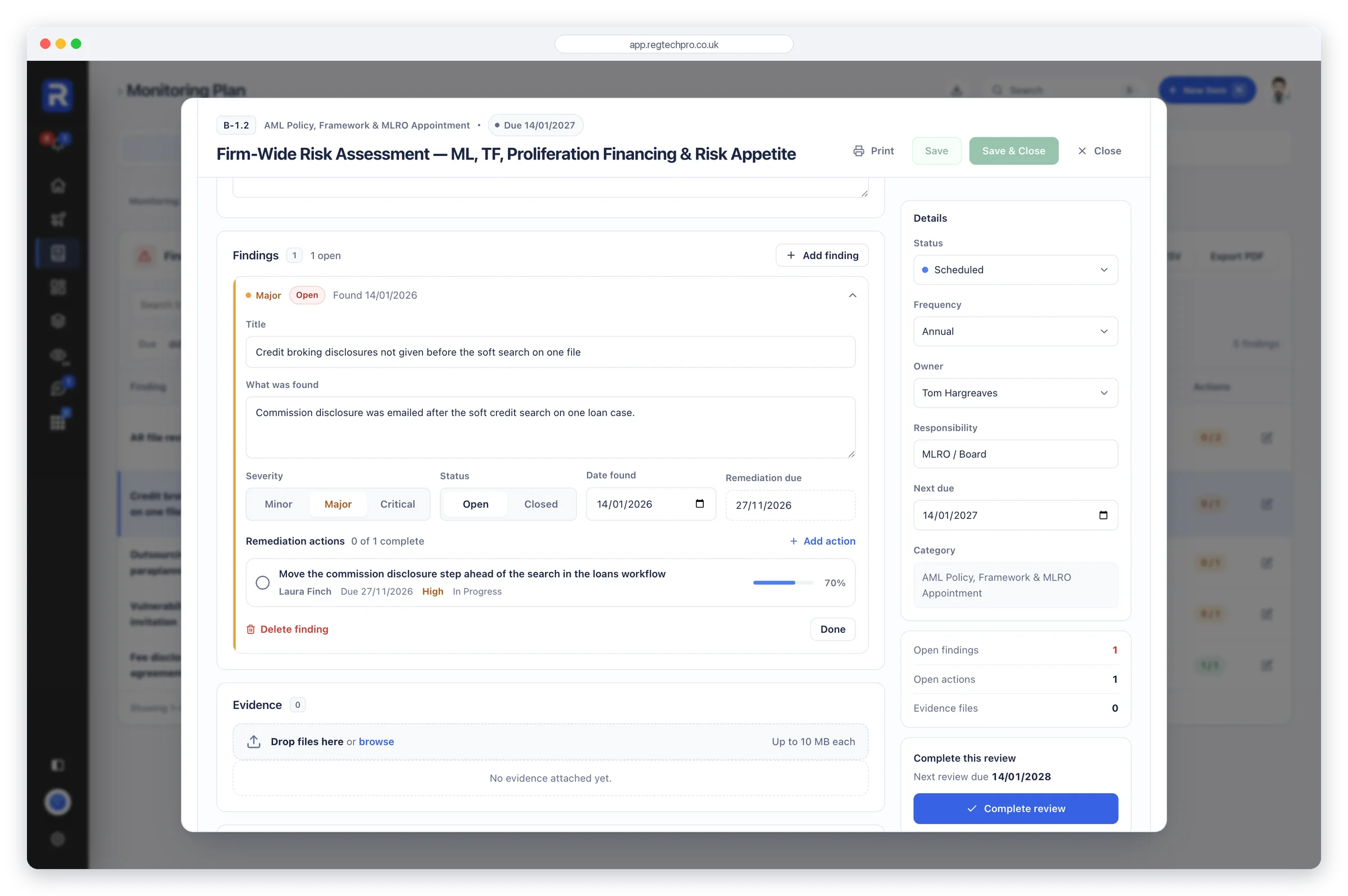
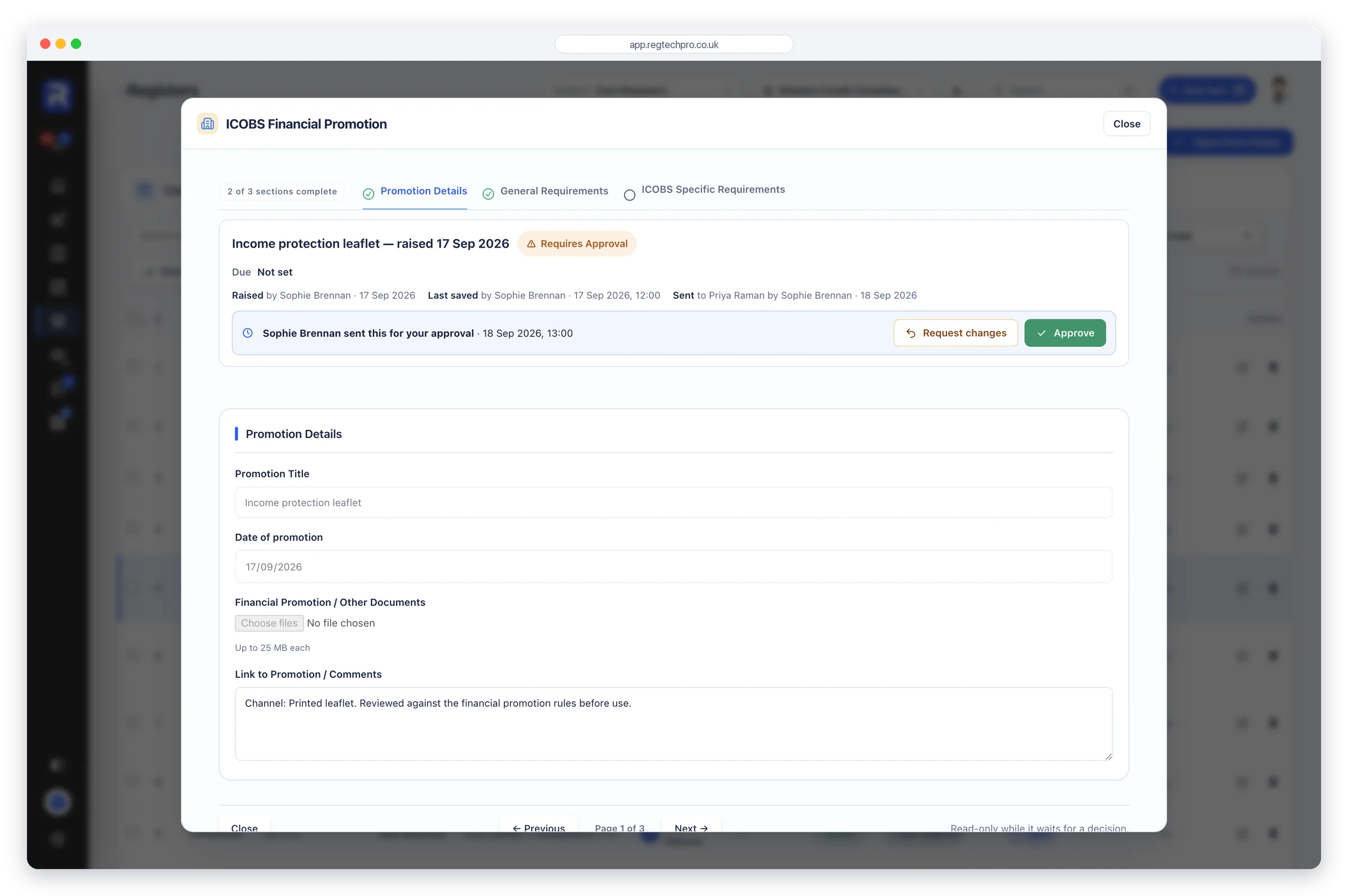
The sections of each app carry their own short confirmations, built around that section’s work, beside the firm-wide forms in Core Registers, such as General FCA Compliance and Whistleblowing Arrangements. Every line is answered Met, Partial, Not Met or N/A, where Met always means the firm complied. Evidence sits with the answers, and each firm-wide submission is dated, rated and carries an approval status.
Core Registers is the firm’s record of what it has confirmed and when: who approved it, how it was rated and where it stands, without opening a single document.
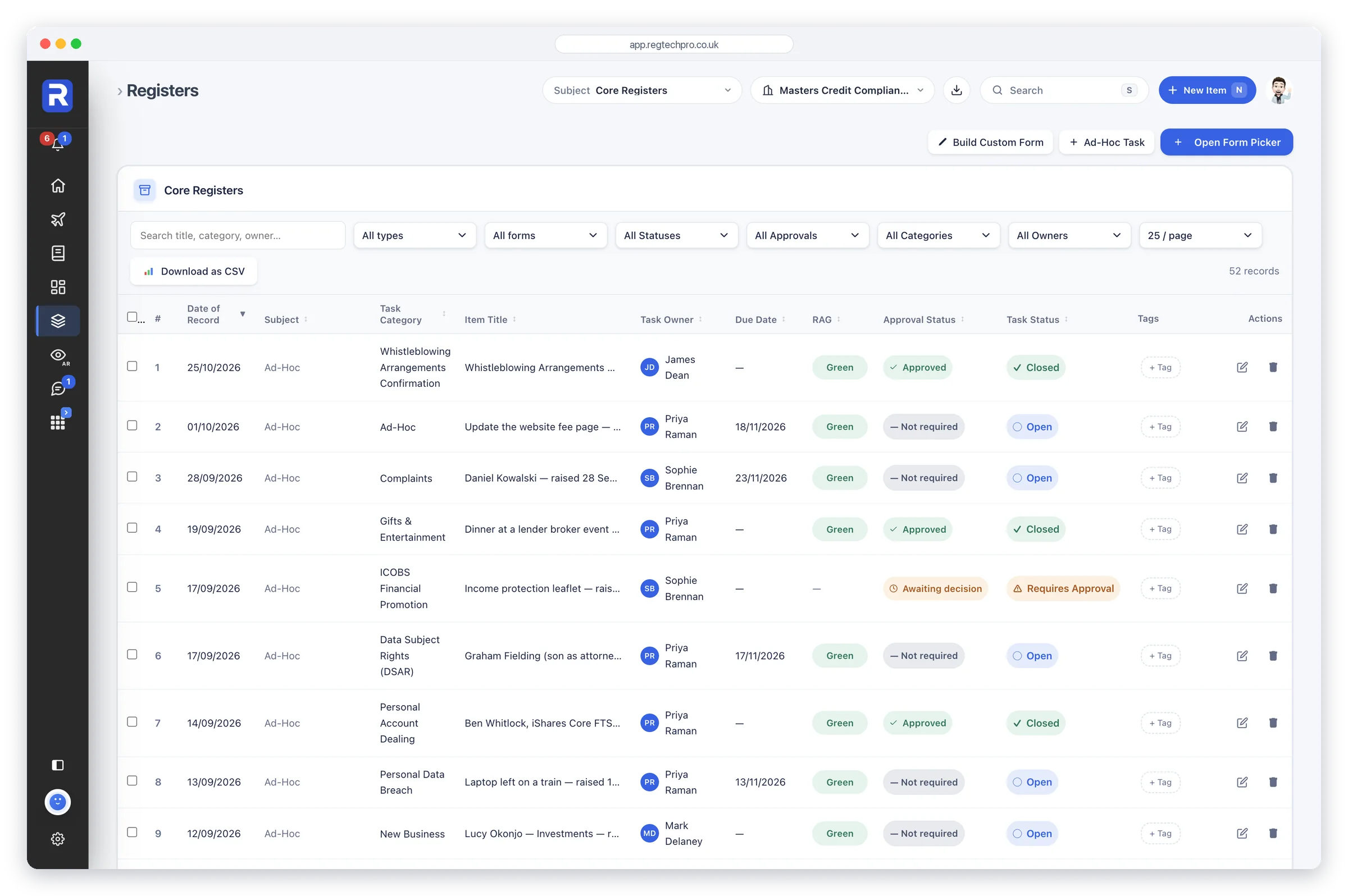
Core Registers. Every confirmation filed and register entry made, with its date, owner, RAG and approval status.
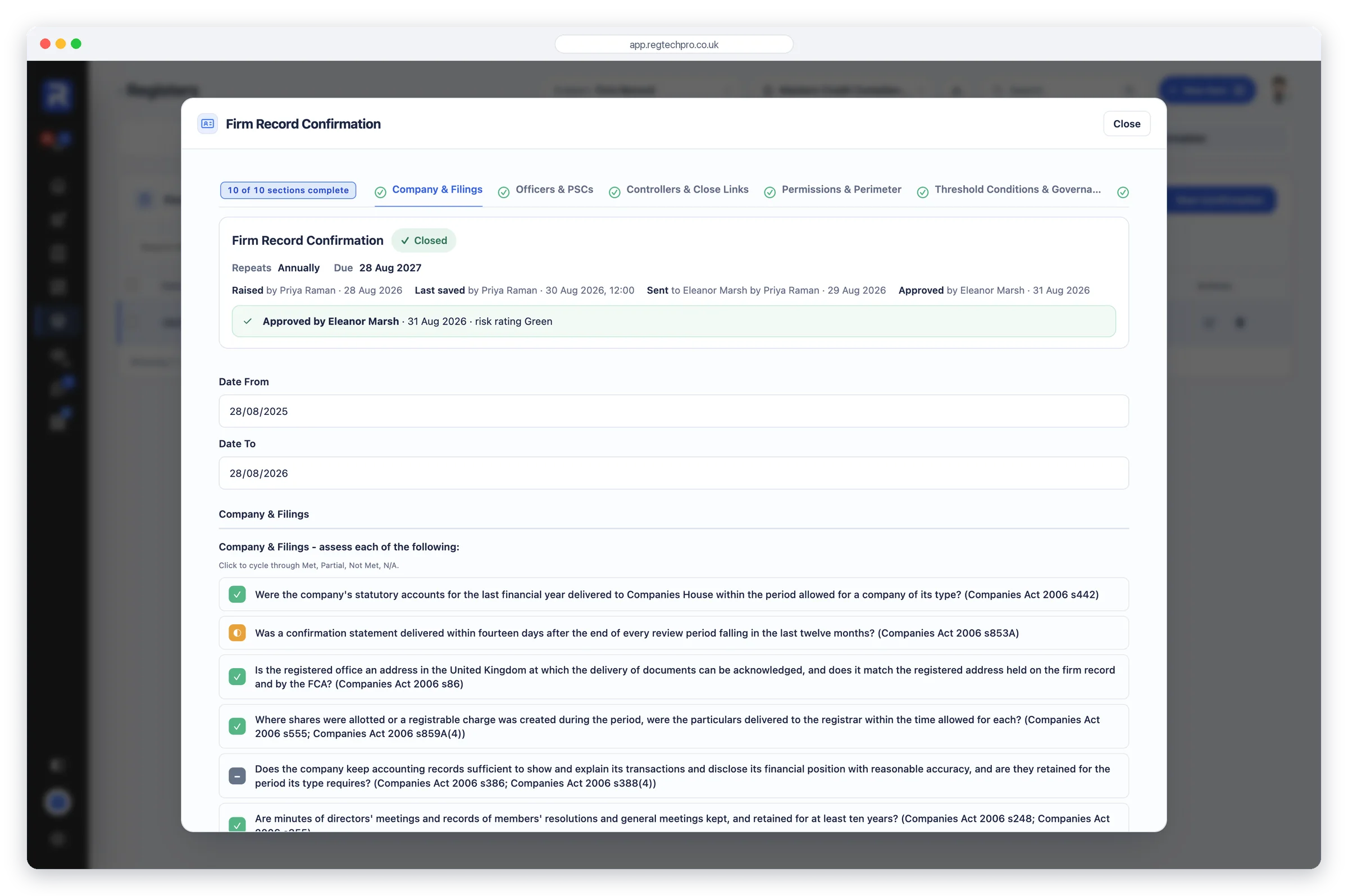
People Compliance holds a record for every member of staff, typed to their regime: senior manager, certified person or other staff. The page opens on the headline numbers a supervisor asks for first: how many senior managers and certified persons, how many fit and proper reviews are outstanding, and how much of the vetting is complete.
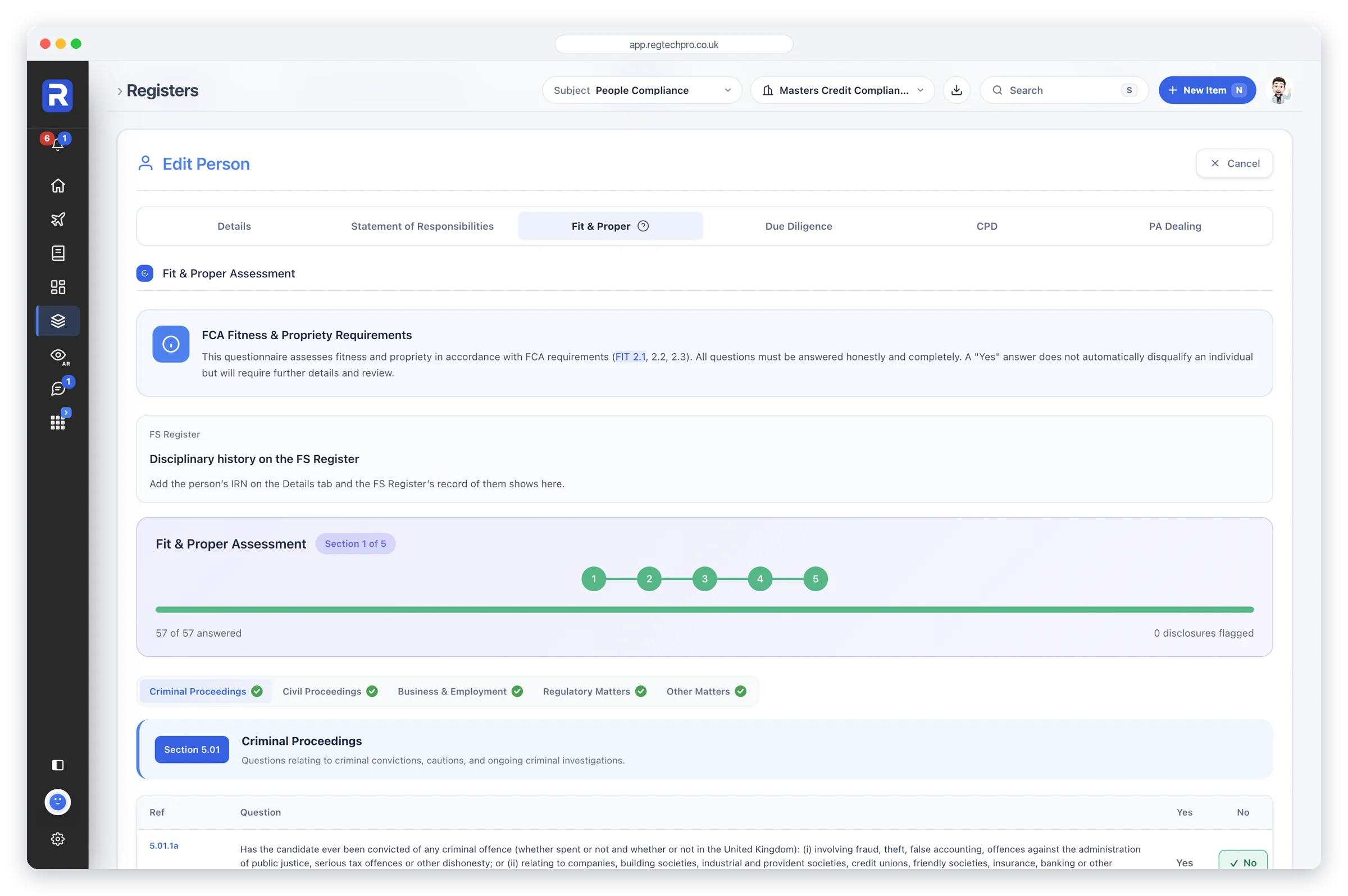
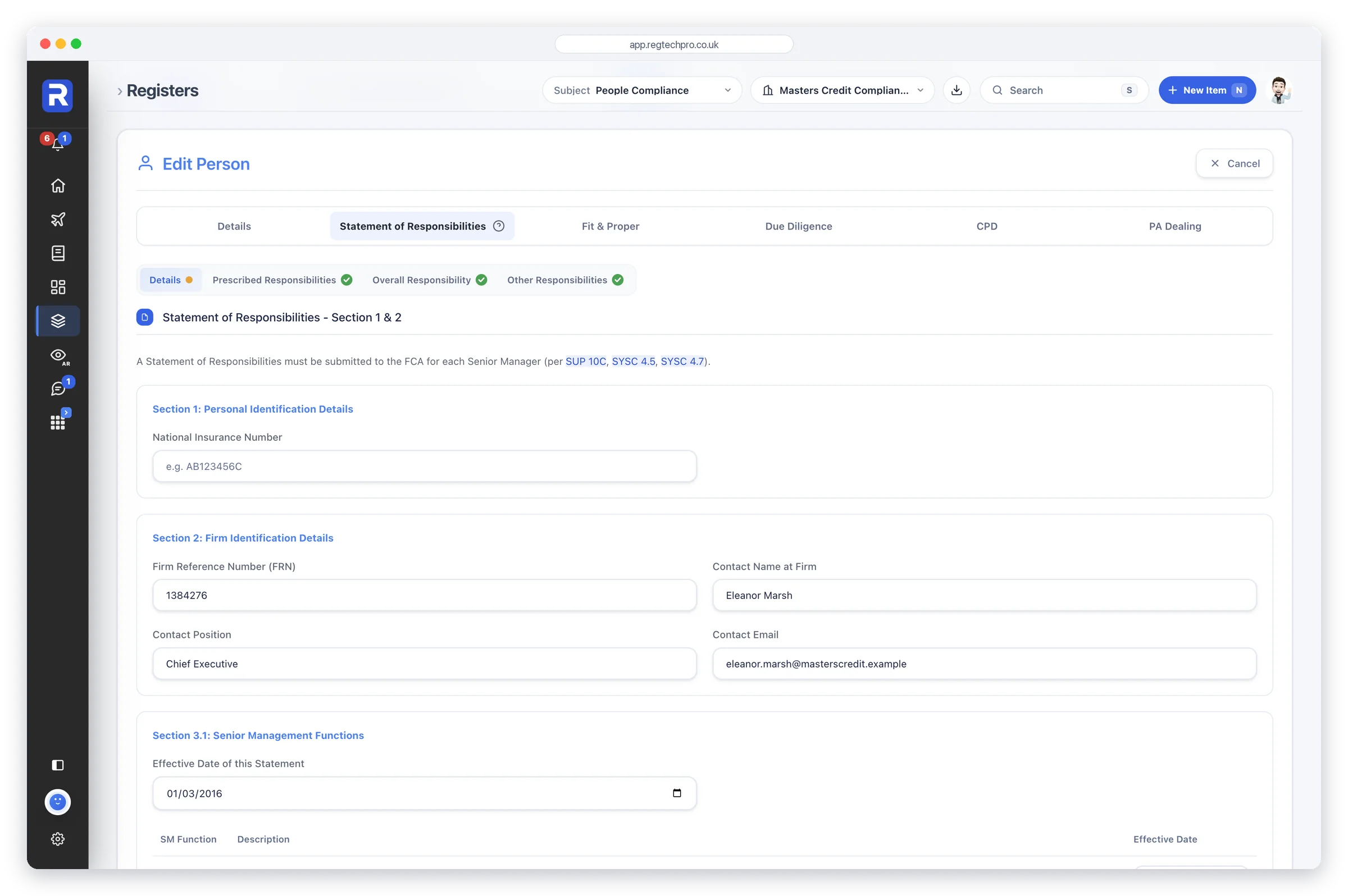
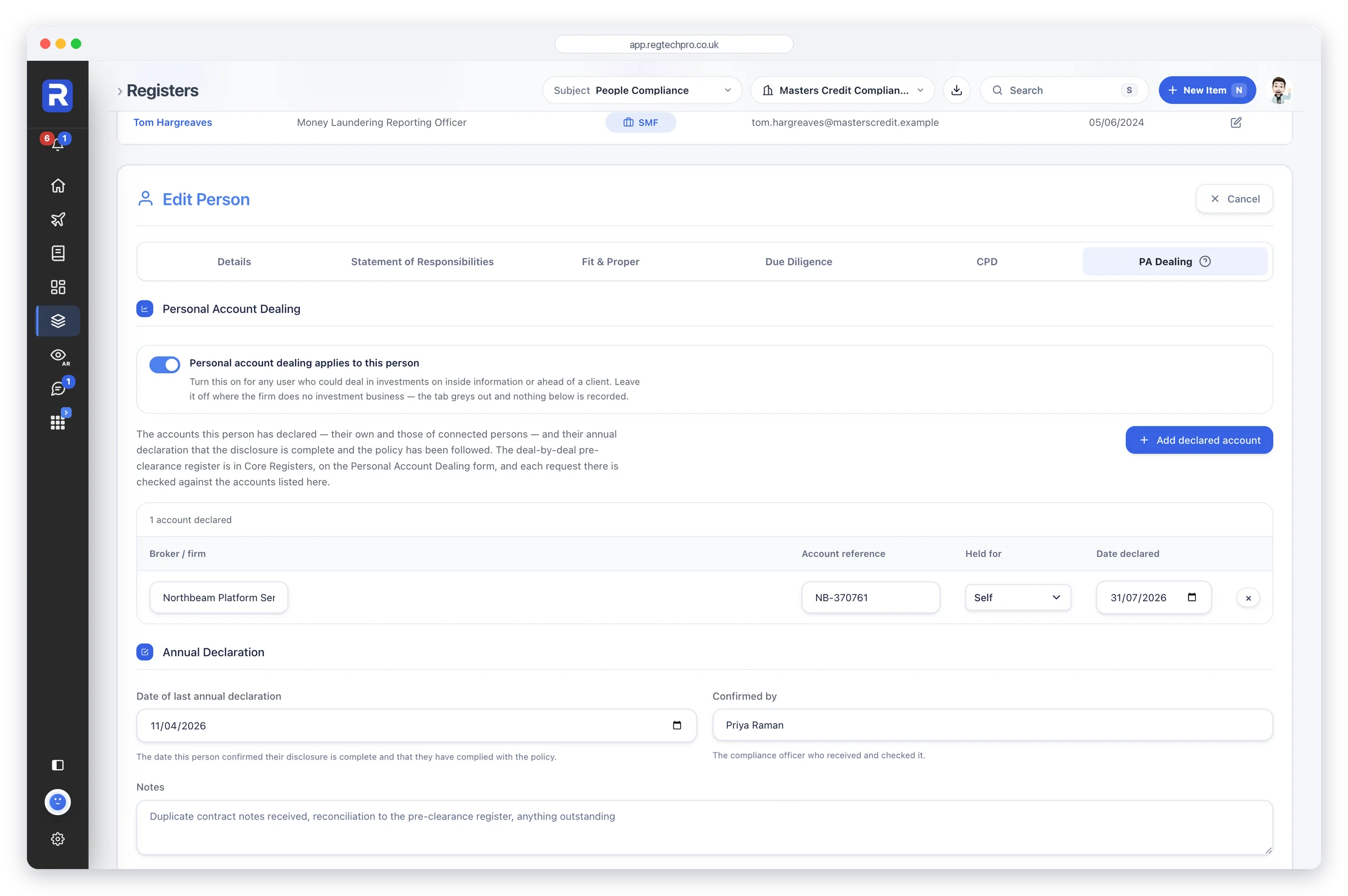
Open a person and everything about them sits in one record: their statement of responsibilities, the Fit and Proper assessment, the due diligence held on them, their CPD and, where it applies, their personal account dealing. When the FCA asks who is accountable for what, and whether they remain fit and proper, the answer is on one page.
Start a record with a person’s IRN and their roles arrive from the FCA Register, beside any disciplinary history it holds and the firms they have held roles at in the last six years, ready for their references.
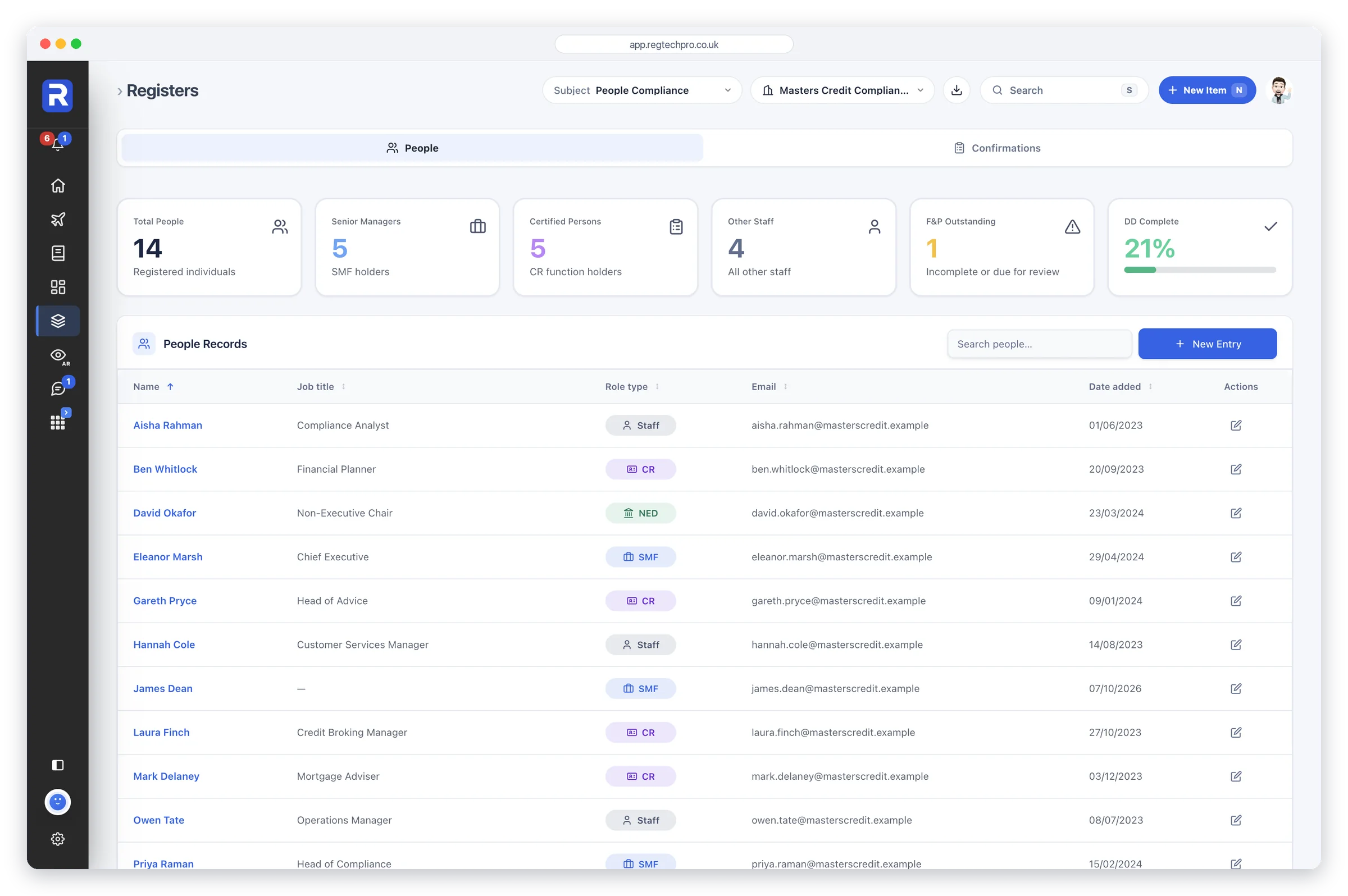
People Compliance. Senior managers, certified persons and staff, with fit and proper and vetting progress at a glance.
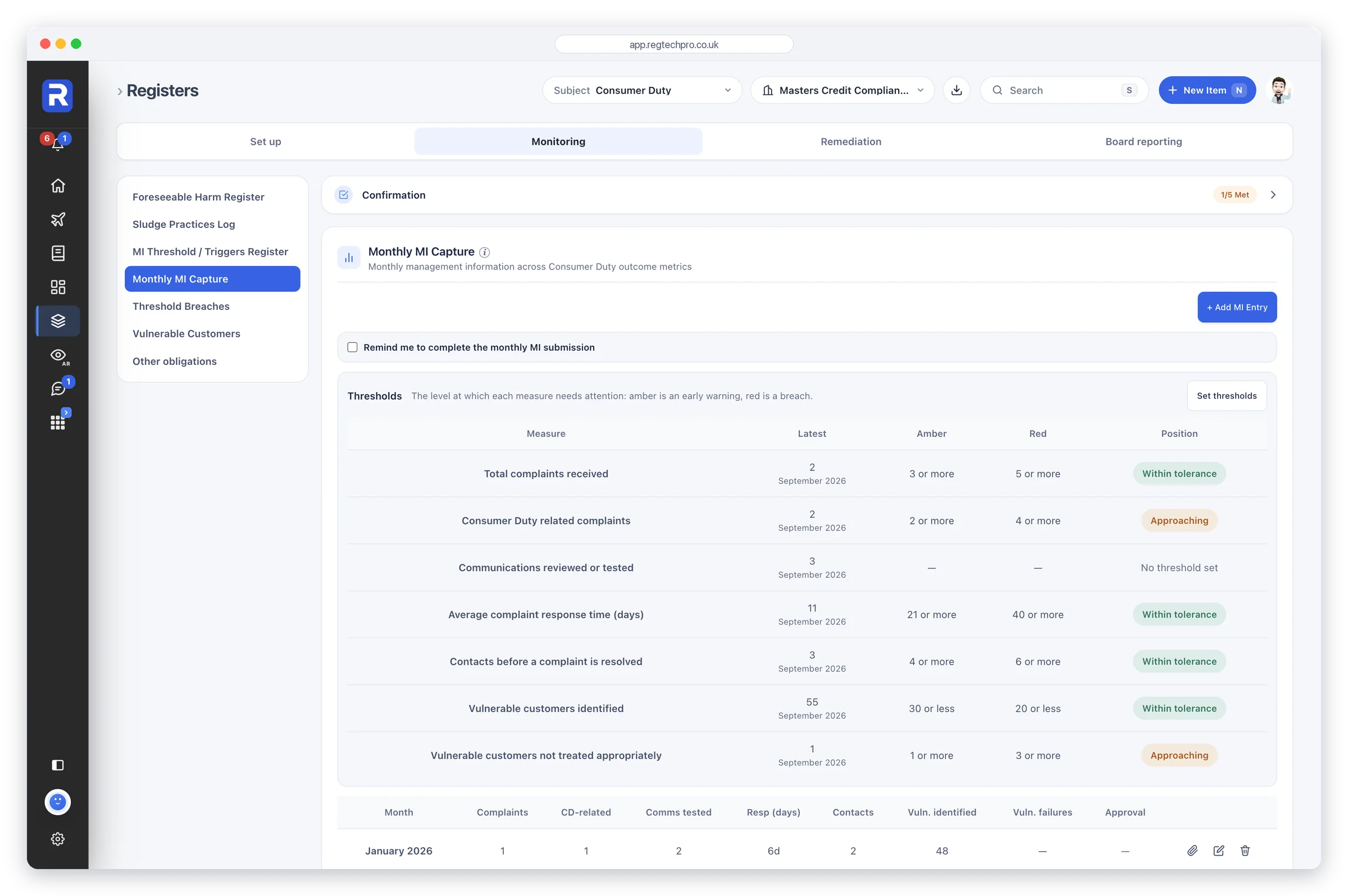
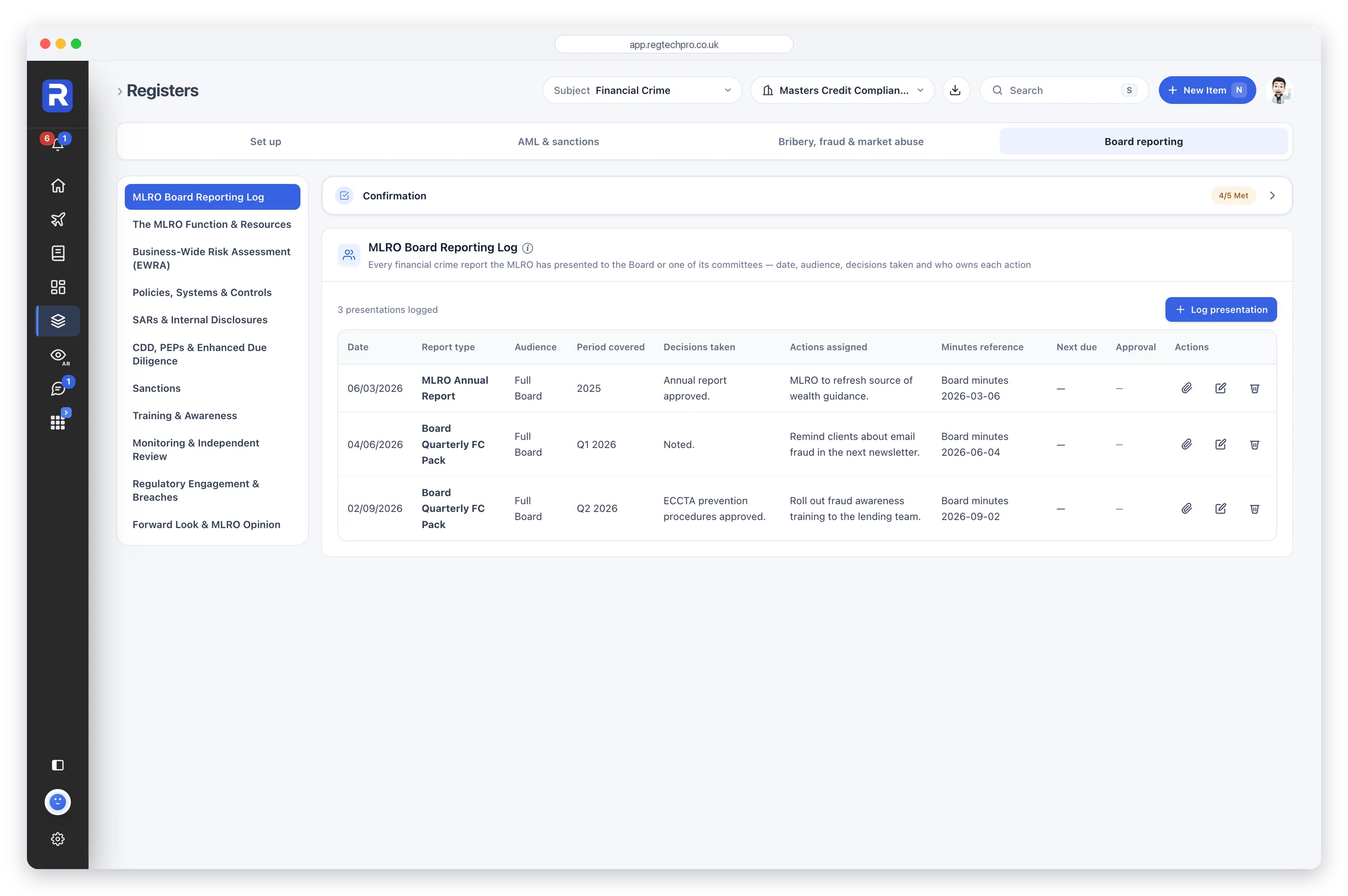
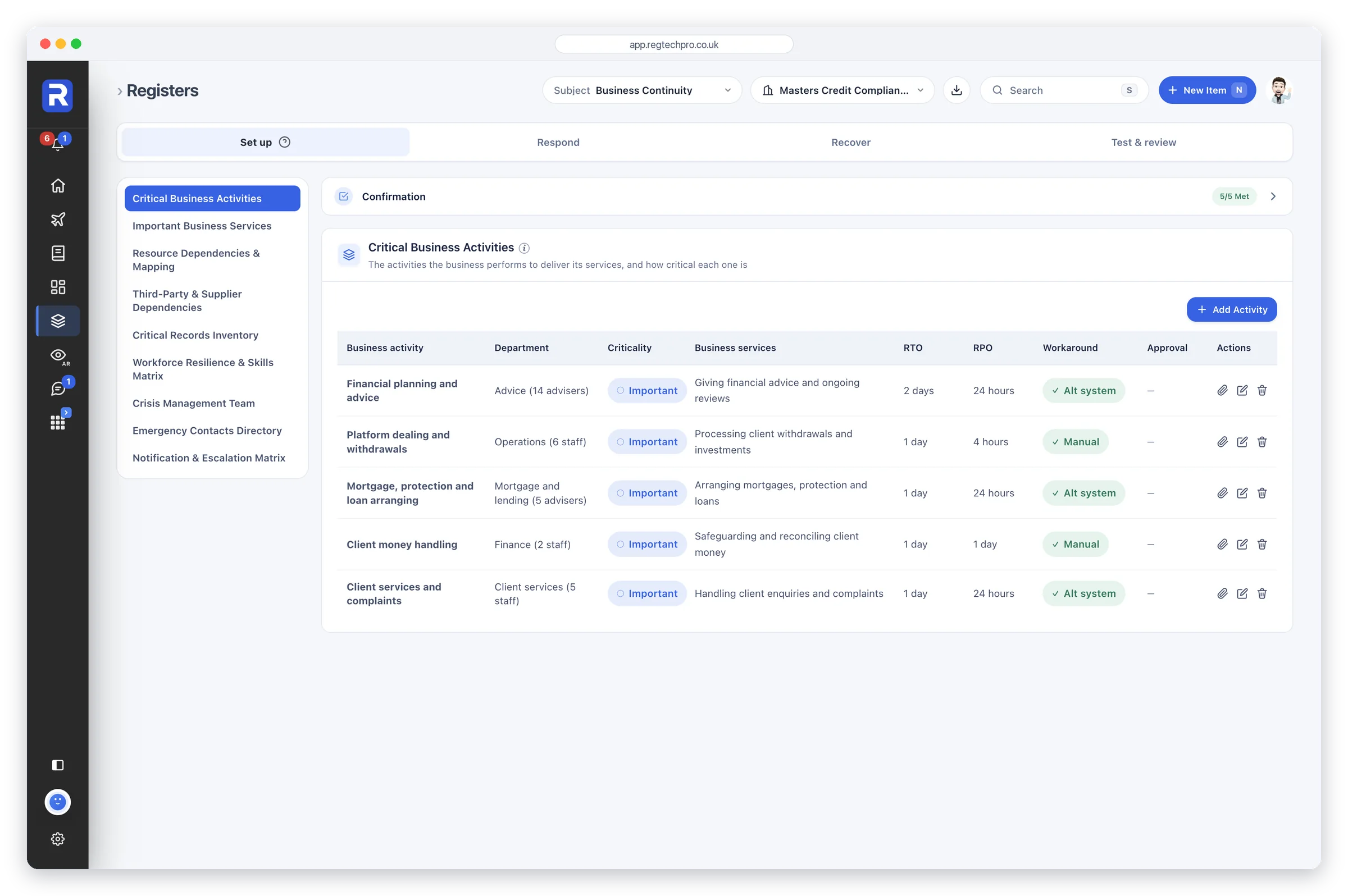
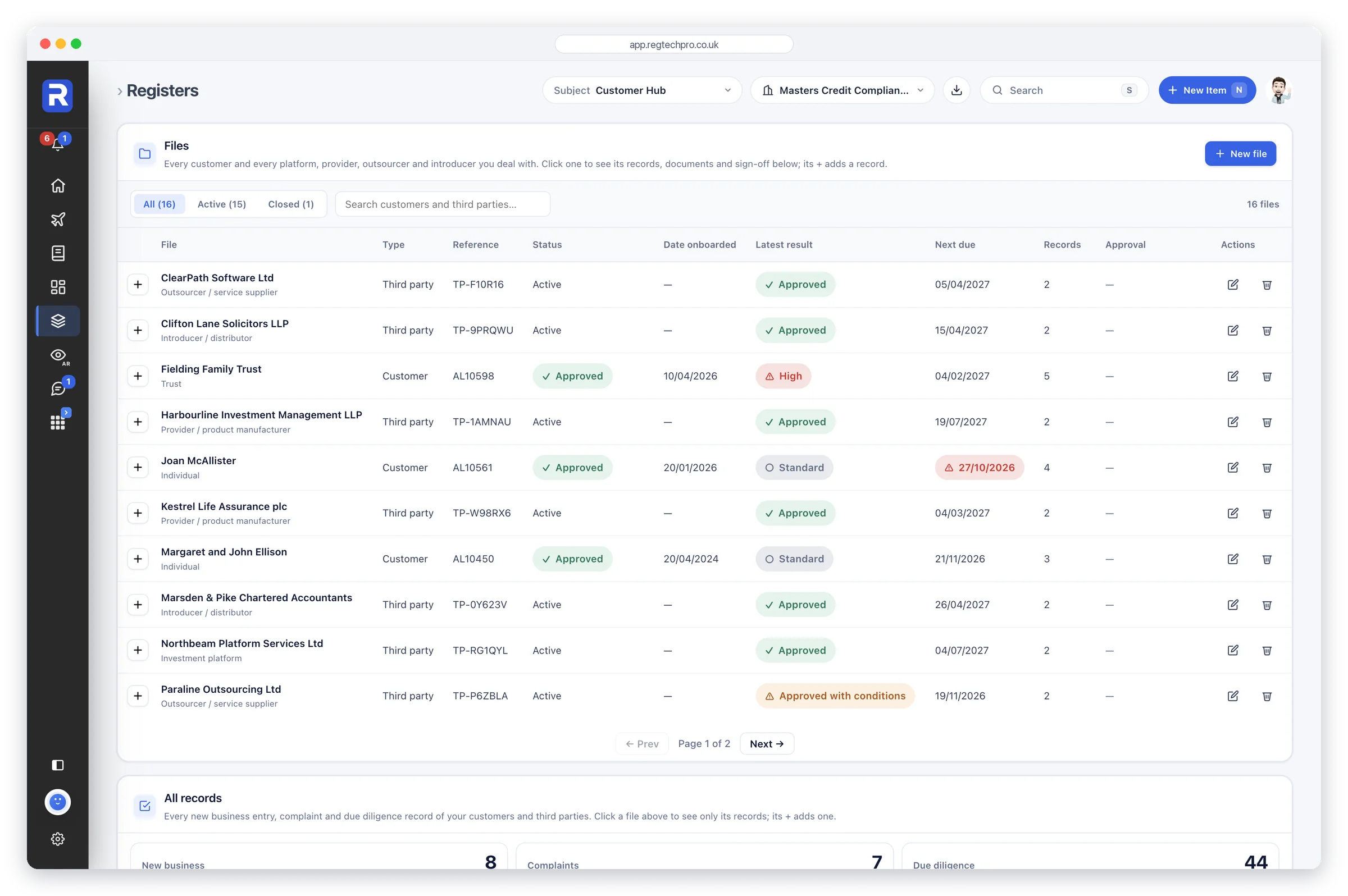
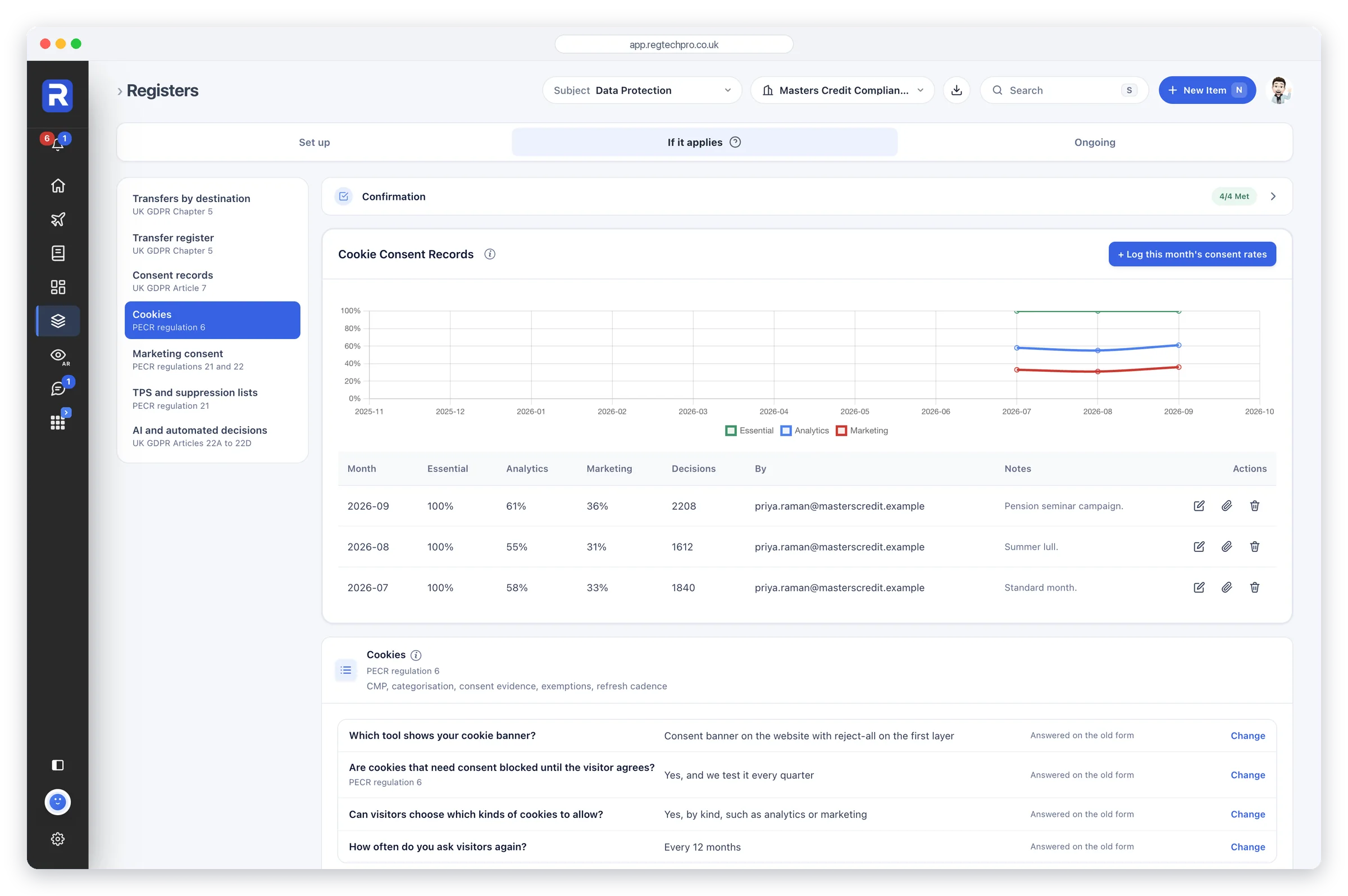
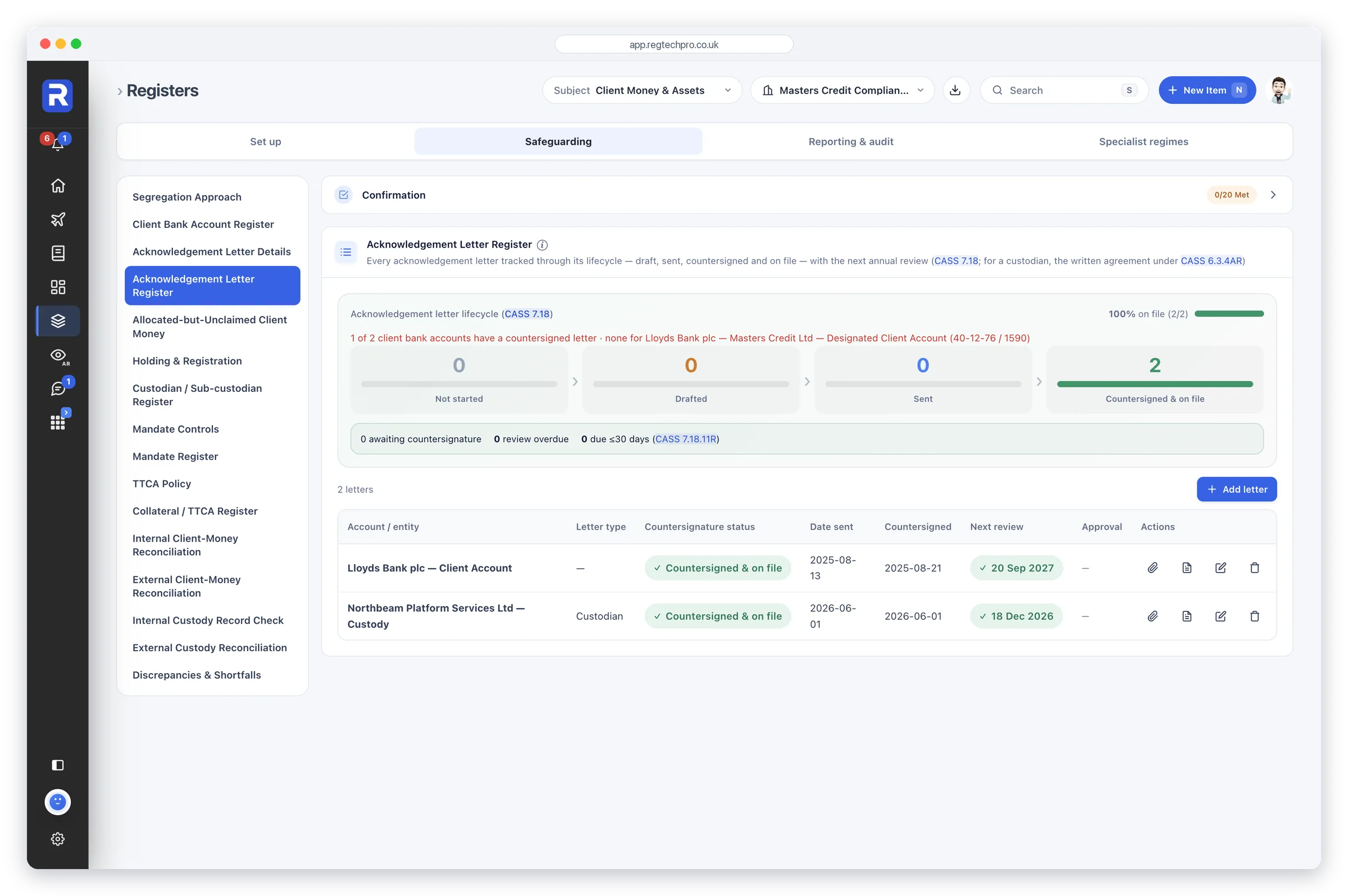
Beyond the Monitoring Plan, each specialist regime has an app of its own: Risk Management, Consumer Duty, Financial Crime, Business Continuity, the Customer Hub, Data Protection and CASS. Each is built the way a specialist in that regime works, with the registers the rules call for, grouped the way the rules are.
Every app follows the same pattern, so a firm learns it once. Its records sit under Registers in the sidebar, chosen from the Subject list, with a short confirmation above each section. Dashboards shows its health, its status and What the FCA wants, and its checks sit in the Monitoring Plan.
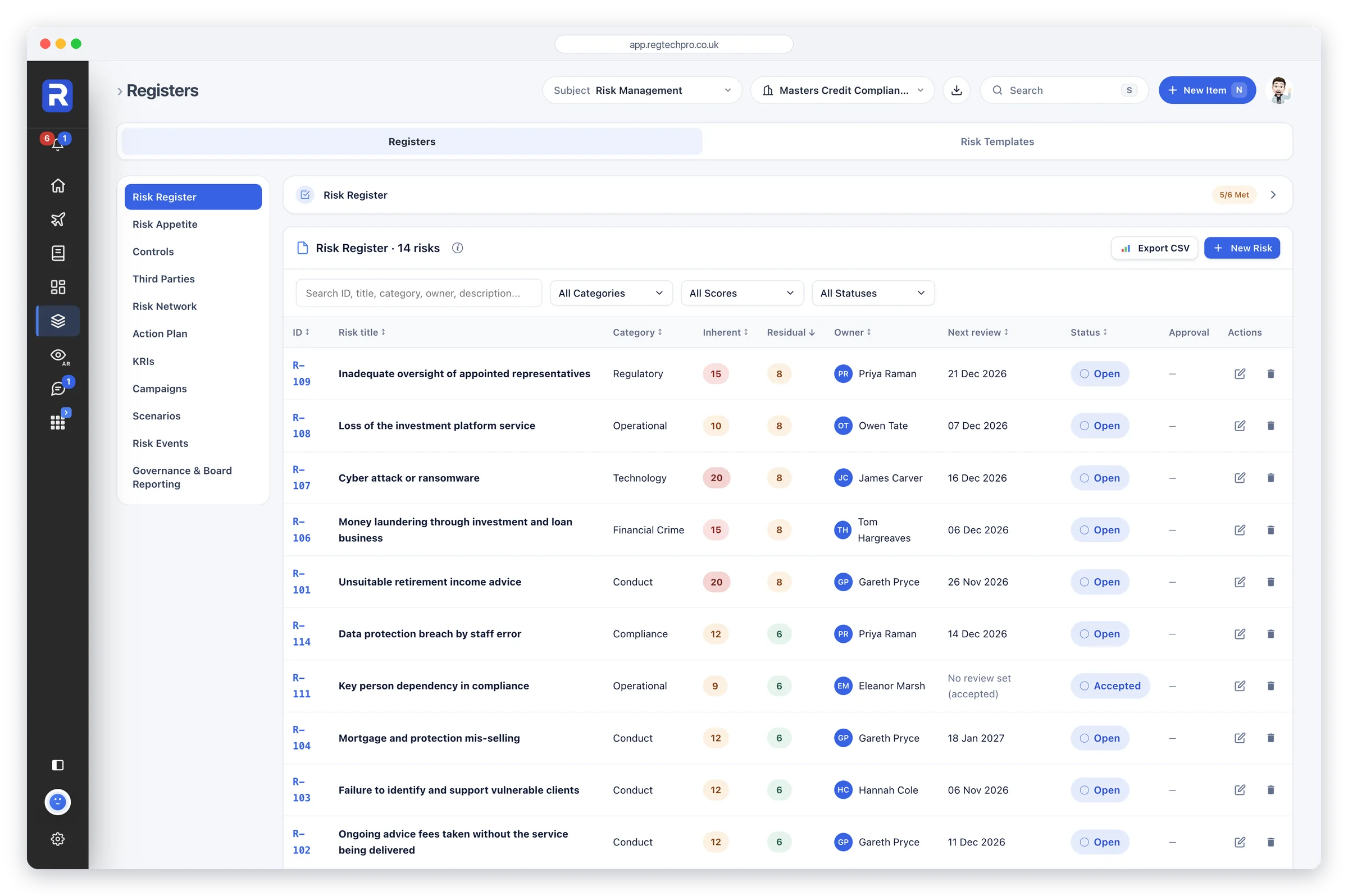
Risk Management. The full risk register, with each risk’s inherent and residual score, owner and next review, beside appetite, controls, third parties and KRIs.
Regulatory Intelligence brings the publications of the FCA, the PRA, HMRC, the CMA and the other bodies a firm answers to into one live feed. Filter it by source, type and sector, switch on firm relevance to see what applies to you, and save, mark read or assign each item, so the horizon scan is a record rather than an inbox.
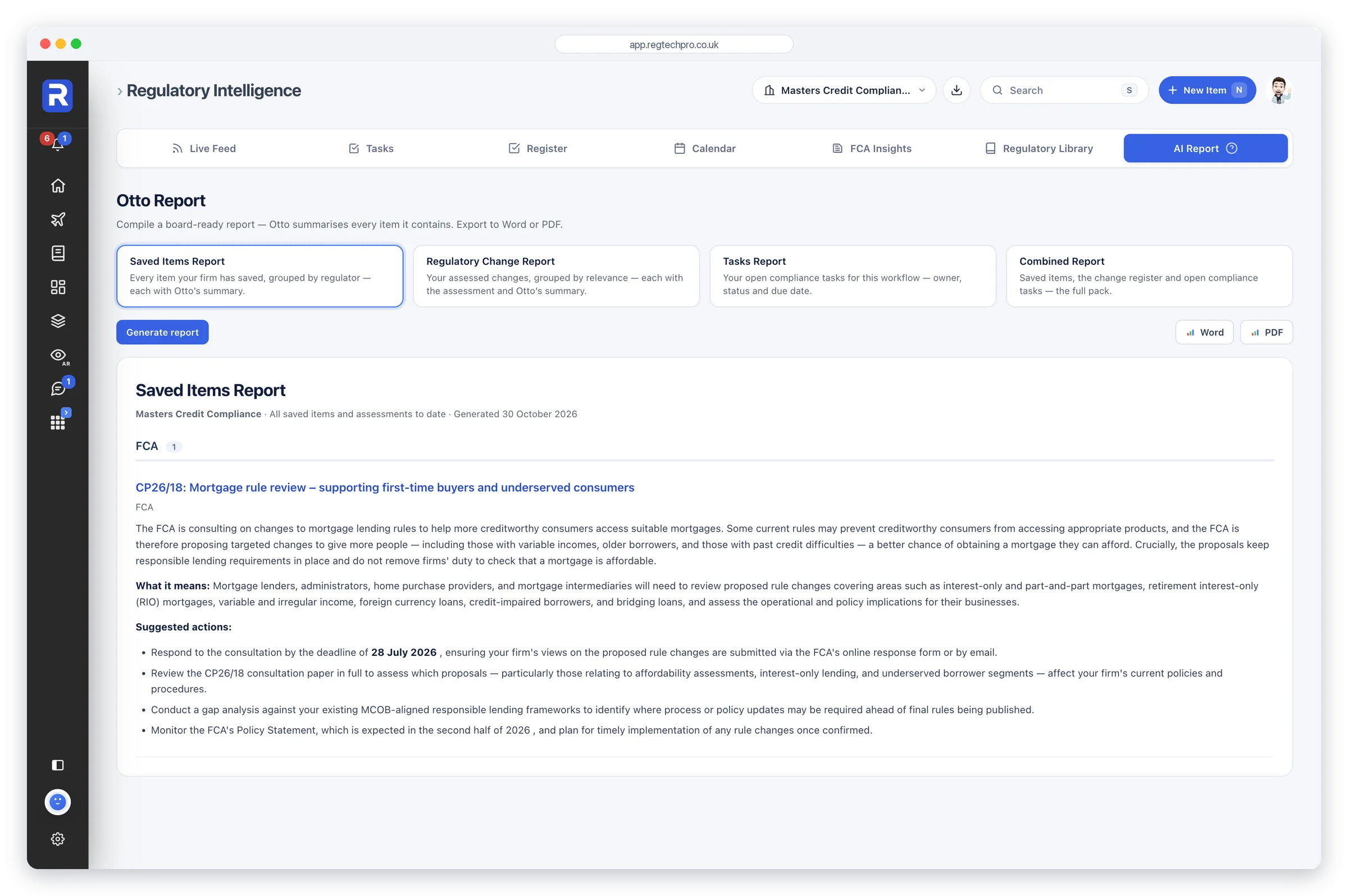
Rule Map reads the FCA Handbook every day and suggests the chapters that come with each firm’s permissions, which can arrive straight from the FCA Register. Each section that applies can be confirmed one by one, and a change shows its wording before and after, the date it takes effect and the work it touches. Saved items become a report in a click, with what each means for the firm and the actions to take.
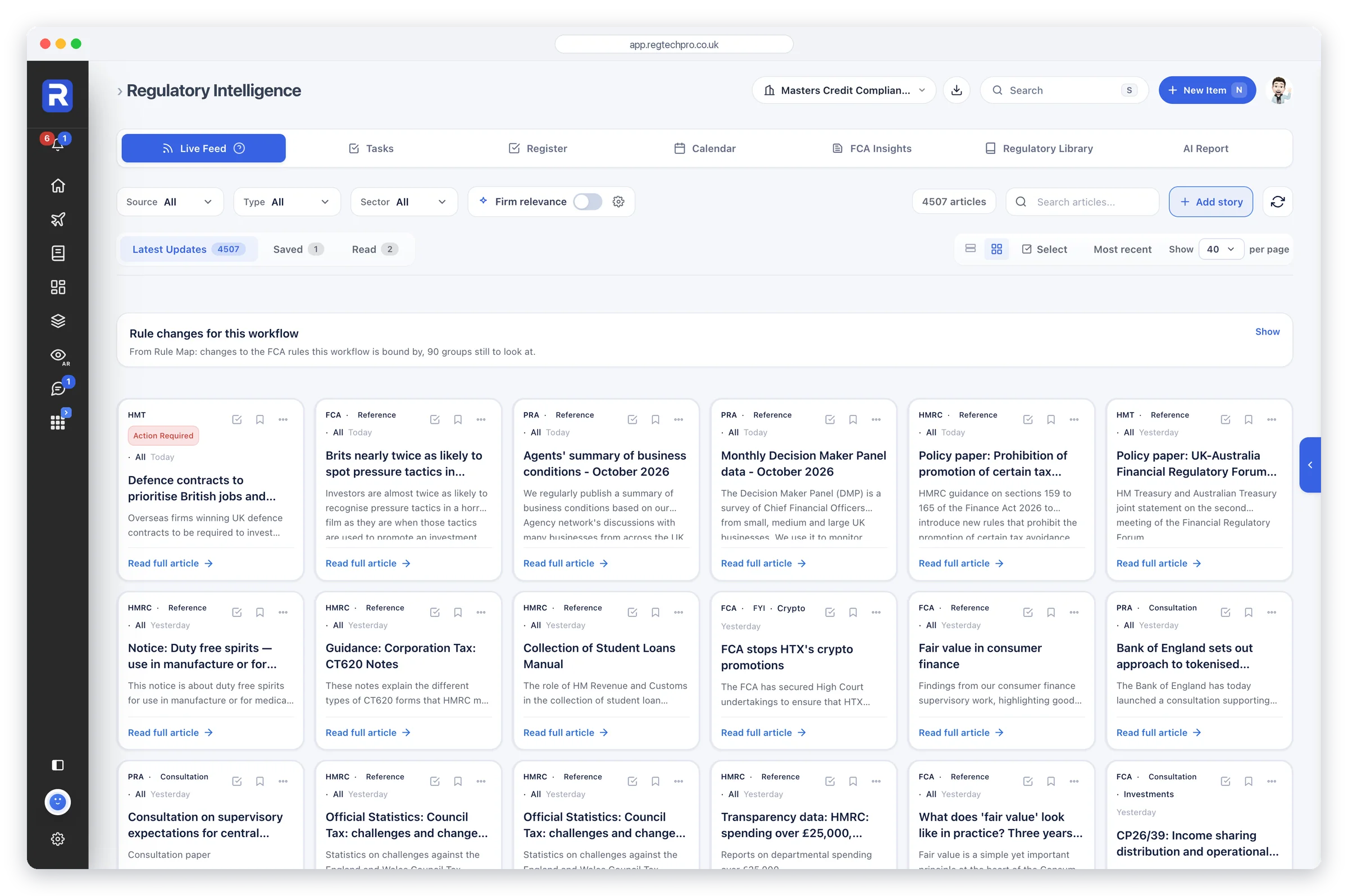
The live feed. Publications from the UK regulators, filtered by source, type, sector and relevance to your firm.
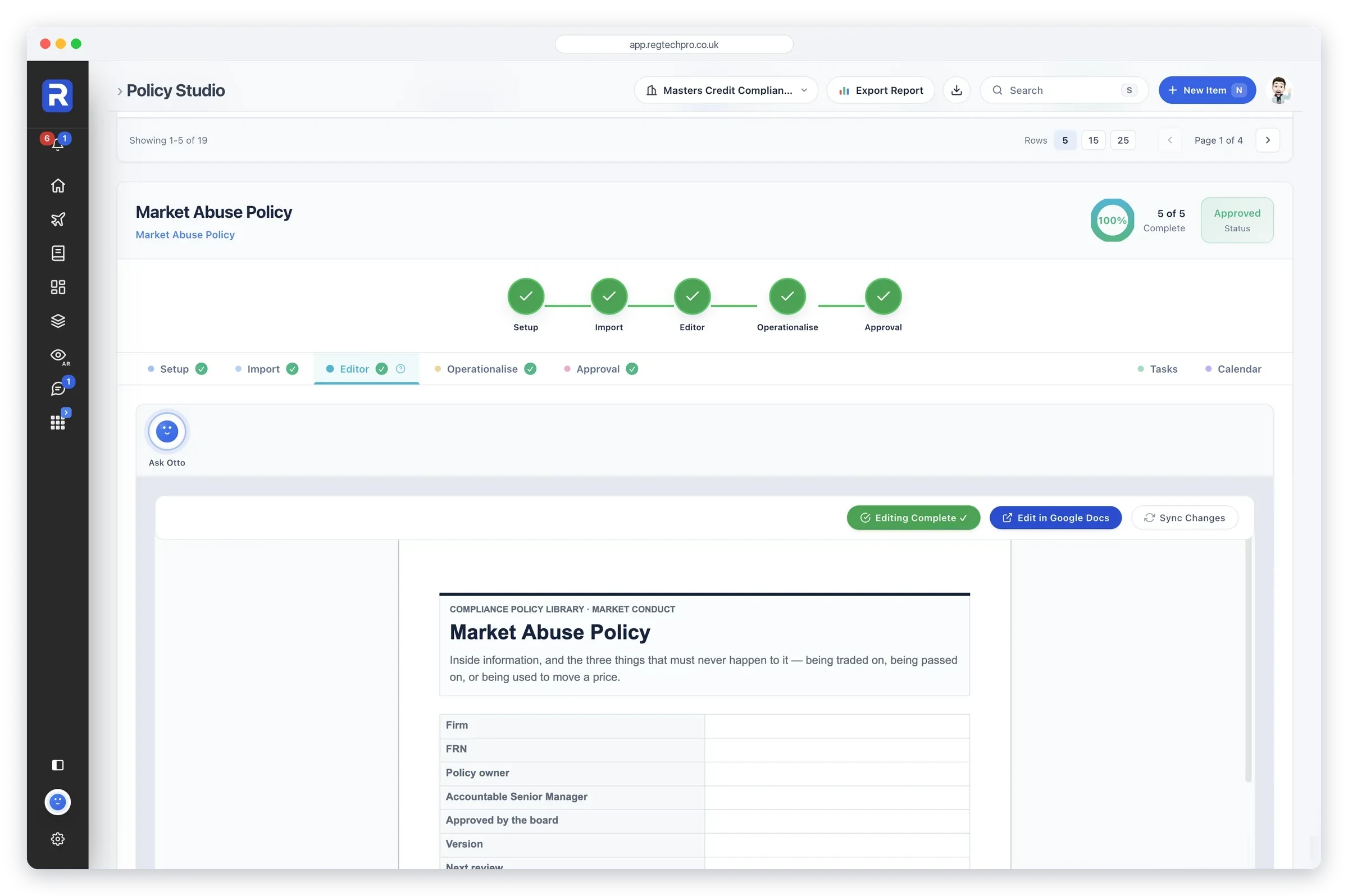
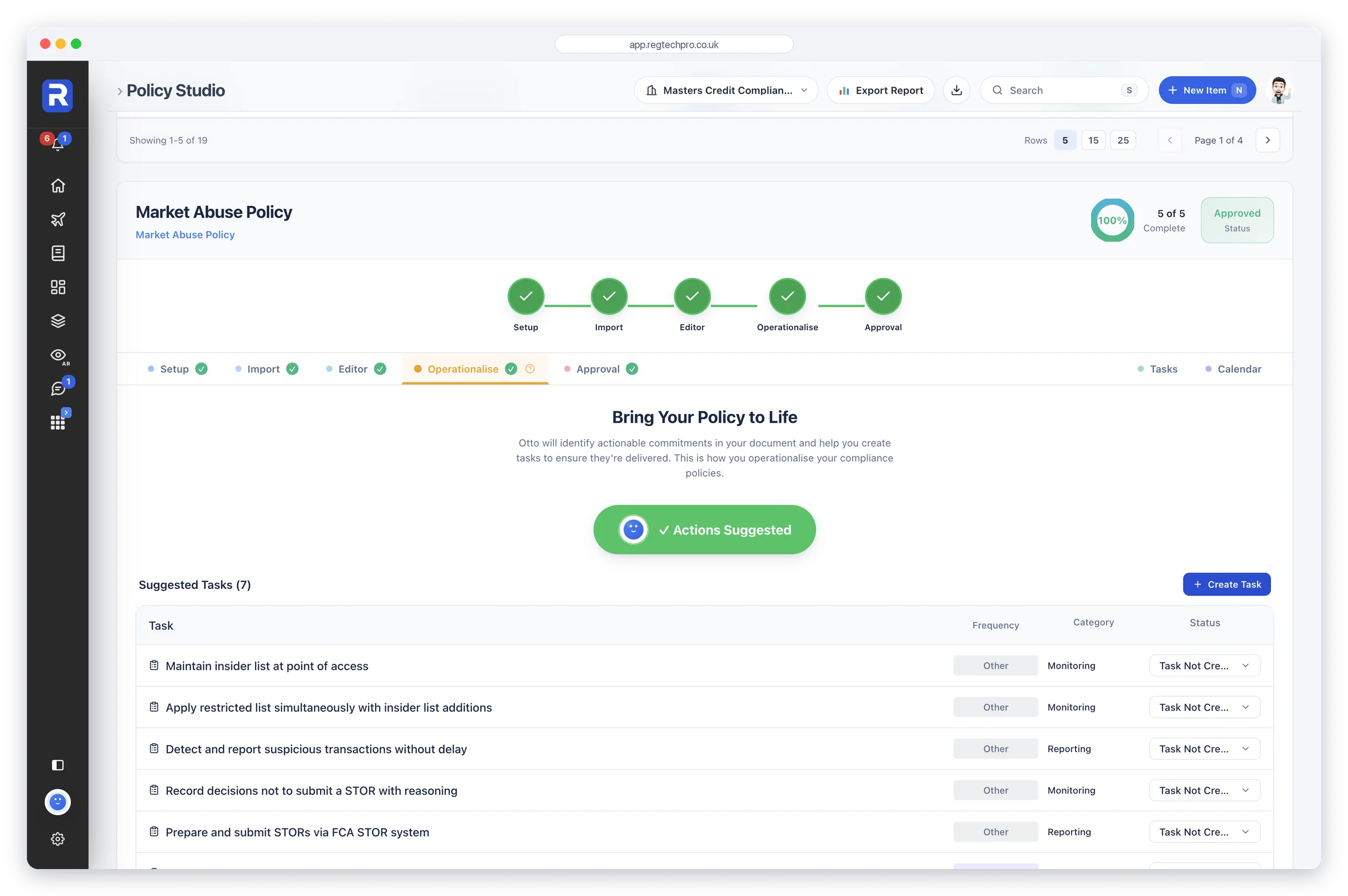
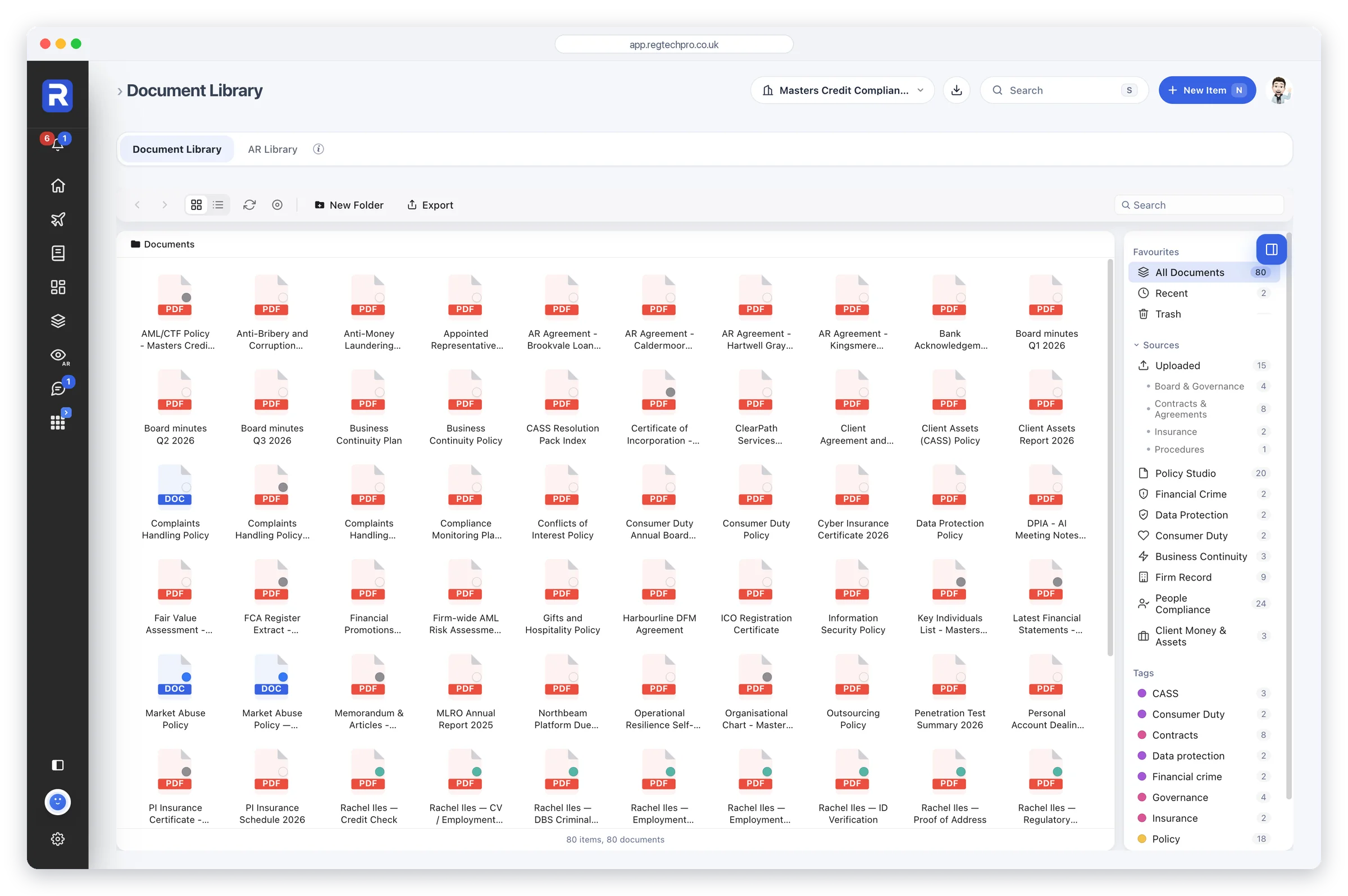
Policy Studio takes a policy from set-up to approval in five steps: set it up, import your own or start from ours, edit it in Google Docs, operationalise it and approve it. Every document shows its owner, its status and how far through that journey it is.
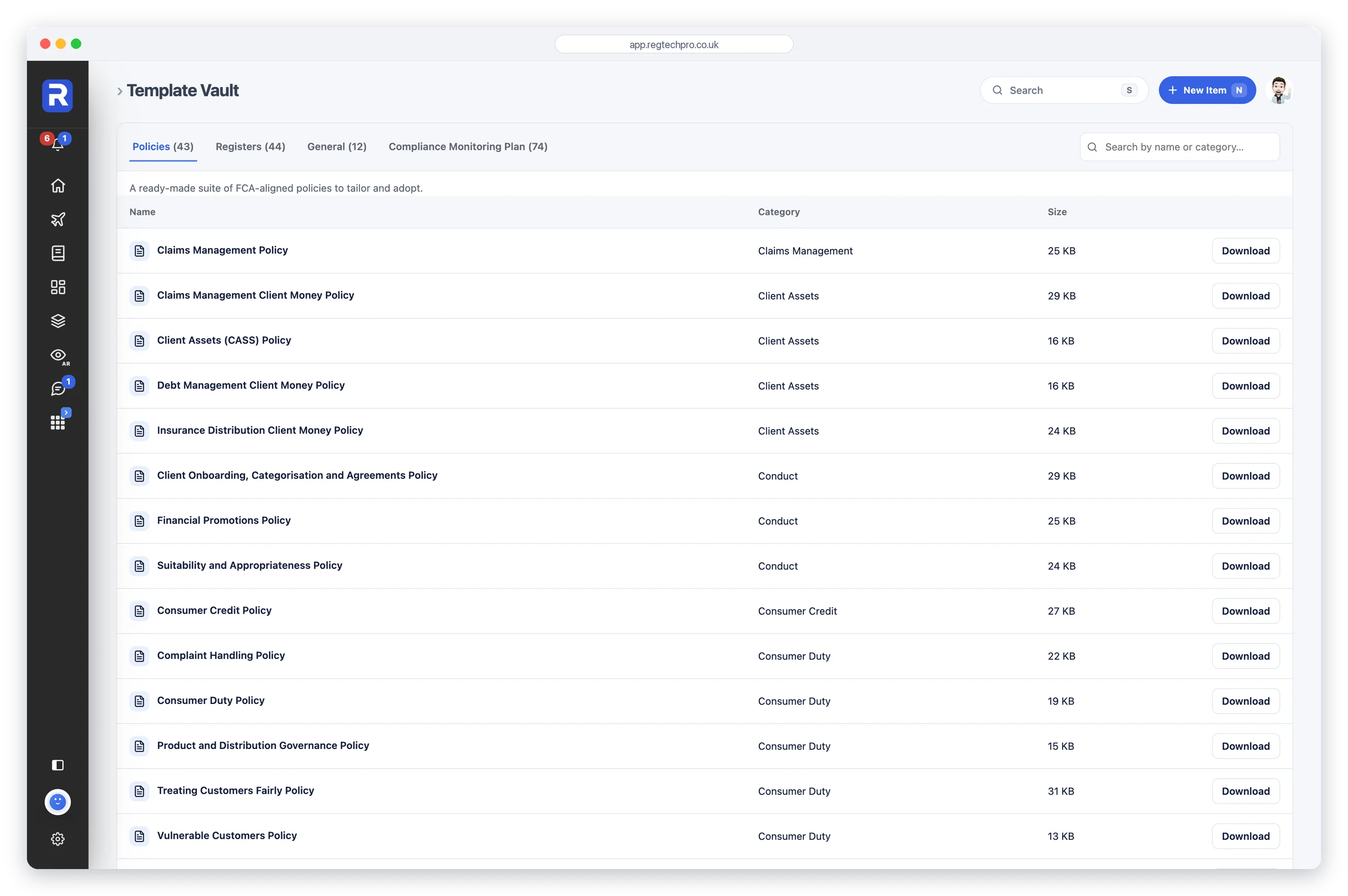
Otto can assess a policy and add what is missing, or rewrite it chapter by chapter for your firm. It then reads the finished policy for the commitments inside it and suggests the tasks that deliver them, each with a frequency, so a policy becomes work on the plan rather than a file on a drive. Behind it sit the Template Vault of ready-made policies, registers and monitoring plans, and a Document Library that holds every piece of evidence in one place.
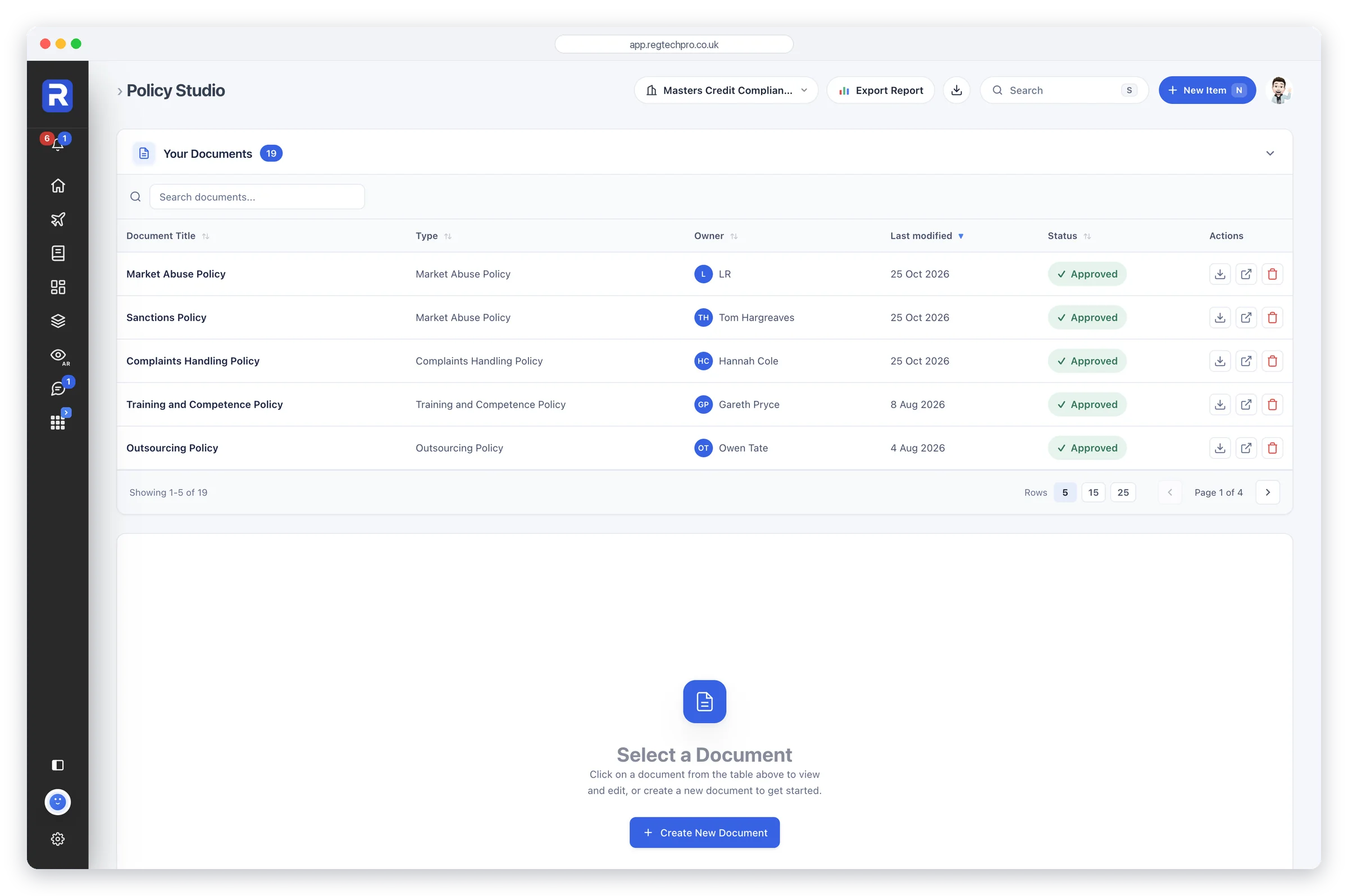
Policy Studio. Every policy with its owner, last change and approval status.
The Reports app holds every regulatory report the firm needs, built from the records already entered: the Compliance Position, an Overall Readiness view, the MLRO annual and REP-CRIM return, the SUP 12 report, the Consumer Duty board report, the DPO annual and ICO accountability pack, the CASS annual and CMAR, the Risk Committee report, the Compliance Monitoring report, and an FCA Readiness report for each area.
The figures are calculated from the data. Otto writes the executive summary and the commentary, at the depth you choose, and says plainly where evidence is missing rather than padding. Export to PDF or Word, or re-run it the moment the records change. Otto is grounded in 150+ expert-authored documents, the FCA Handbook and 25+ years of compliance practice. It drafts. A person reviews and decides.
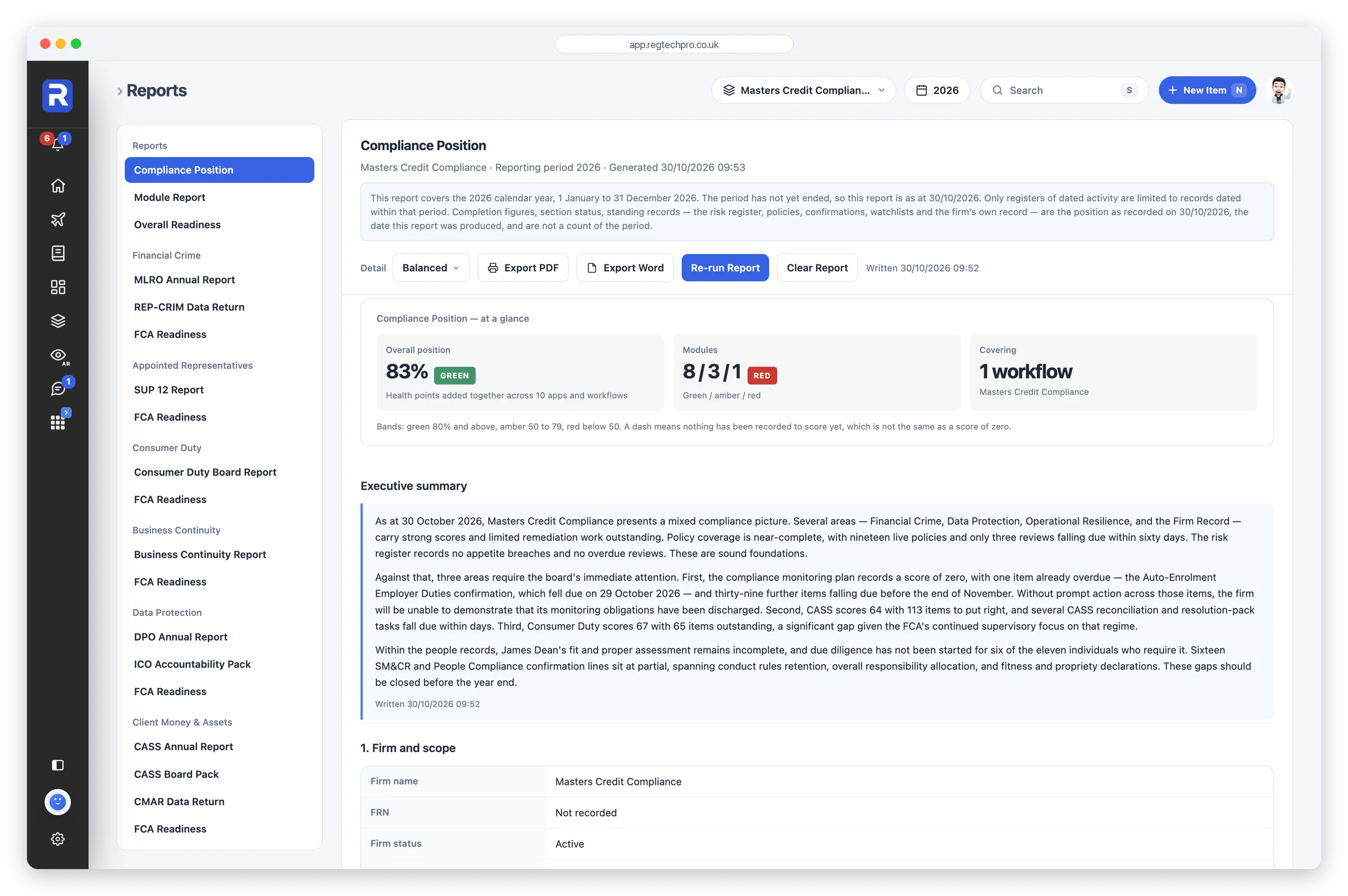
Reports. The catalogue of regulatory reports, each built from live data with Otto’s commentary.
Every firm, appointed representative, tied agent or user group you look after is its own workflow with its own isolated records, switched from the top of every page. Access is granted per person and per form: this screen shows the forms open to one person, each with its own switch, grouped by the app they belong to, so an AR user or a junior colleague sees exactly what they should and nothing else.
Approvals are enforced on the server, sign-in is a one-time code with no password to leak, and every record carries who touched it and when. That is the control environment a supervisor expects to find, built in rather than bolted on.
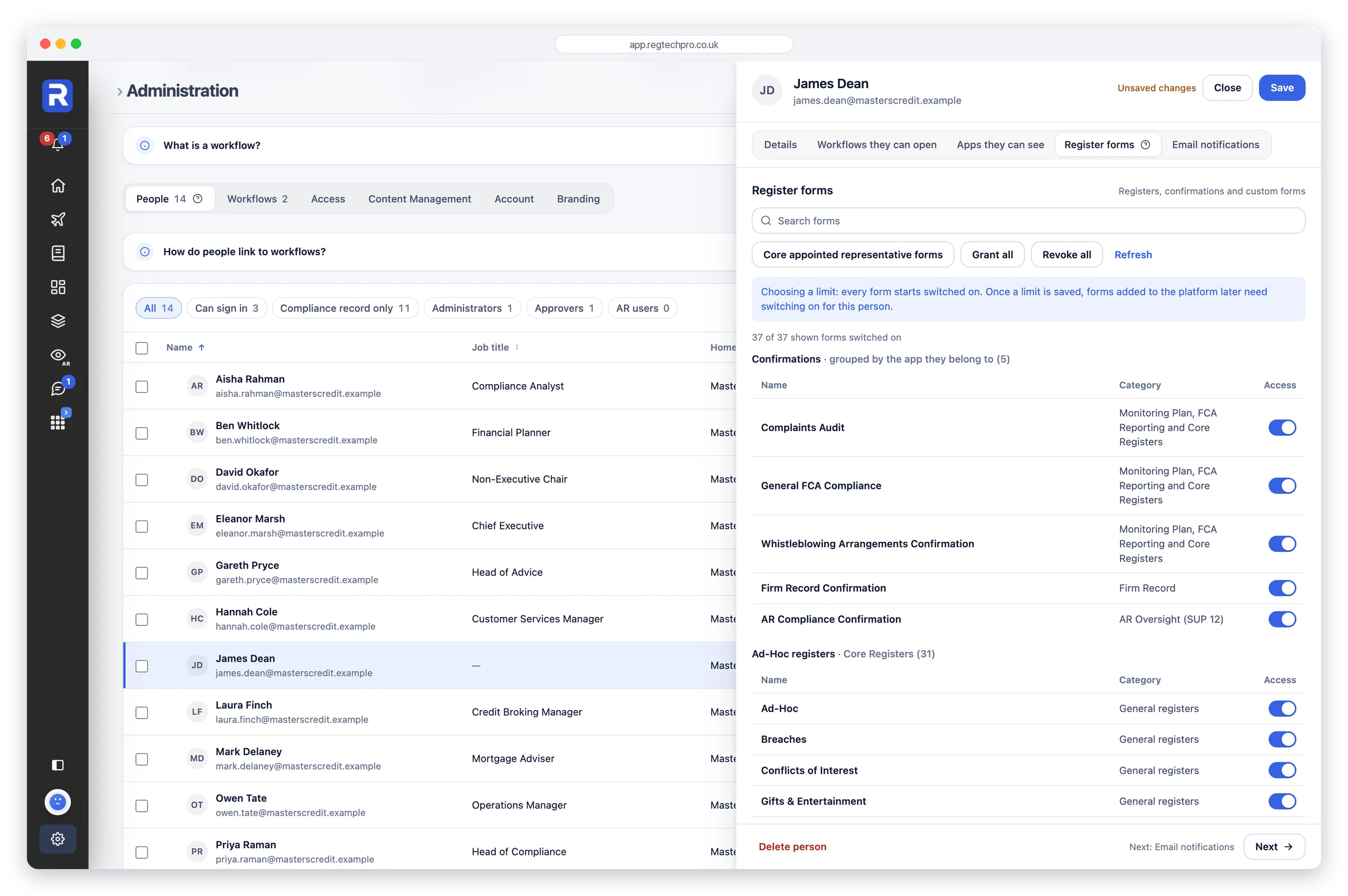
Form access. Exactly which forms each person can reach, grouped by the app they belong to.
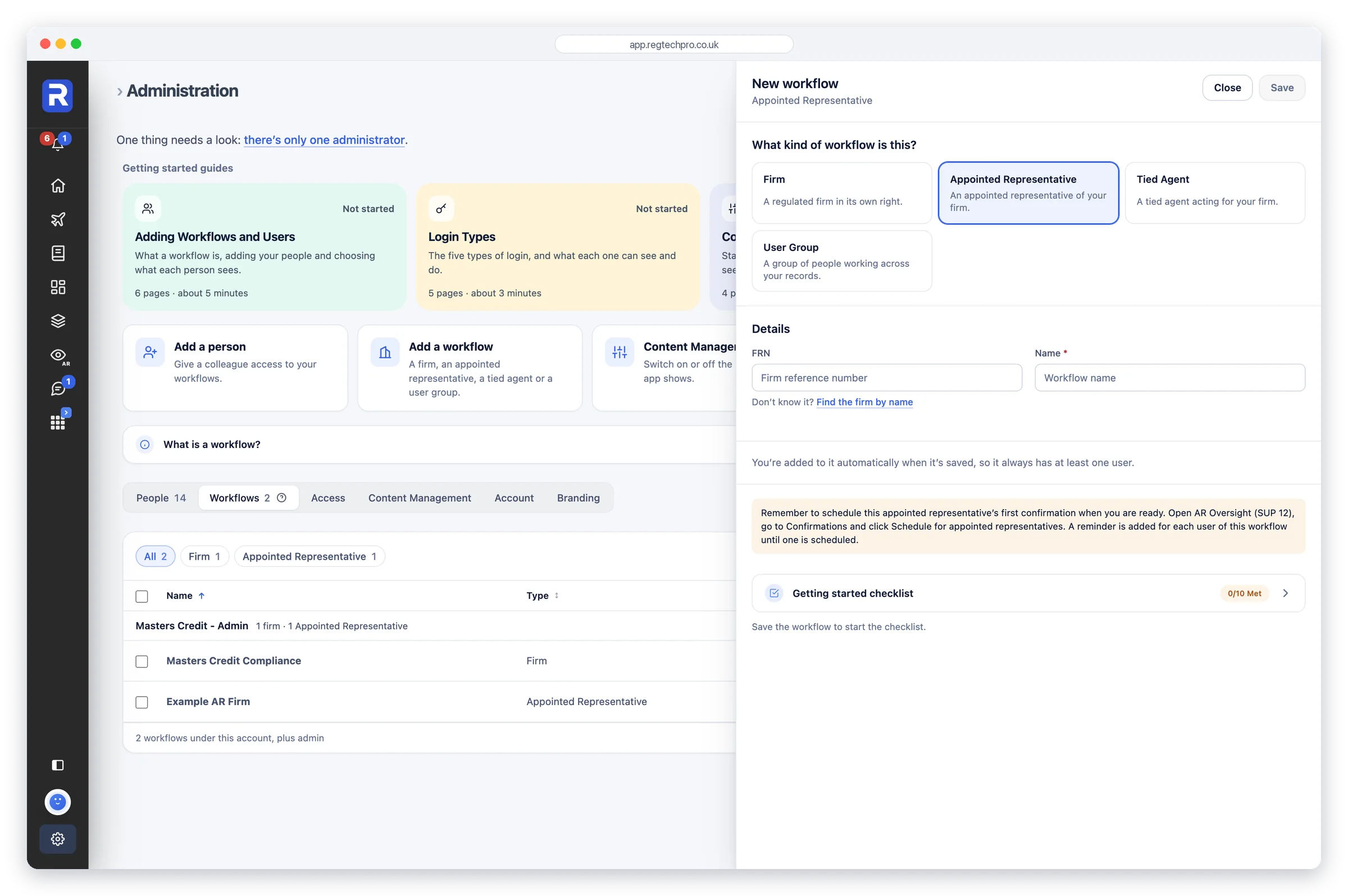
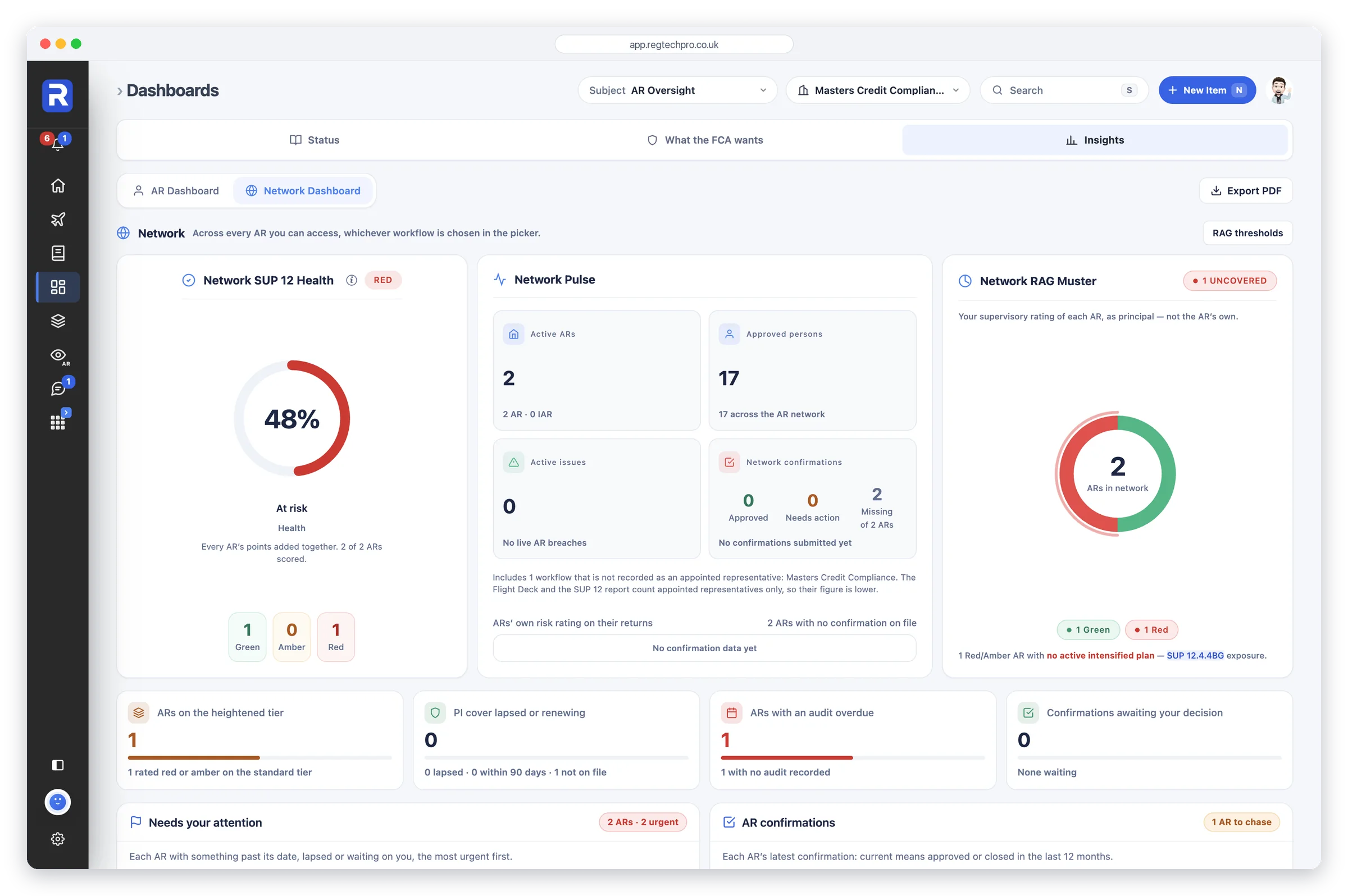
Principal firms get a further layer: each appointed representative runs as its own workflow, with its own dashboard, registers, confirmations and people, and the Network Dashboard rolls the lot up. Aggregate health, a RAG muster, a ranked list of what needs your attention and a confirmation chase-list that names which ARs still owe you one.
Every AR's rating says how it was set, a defensibility radar names the weak flank in plain English, and Reports builds the SUP 12 Report, for one AR or across the whole network, and a mock FCA interview, from the records you hold.
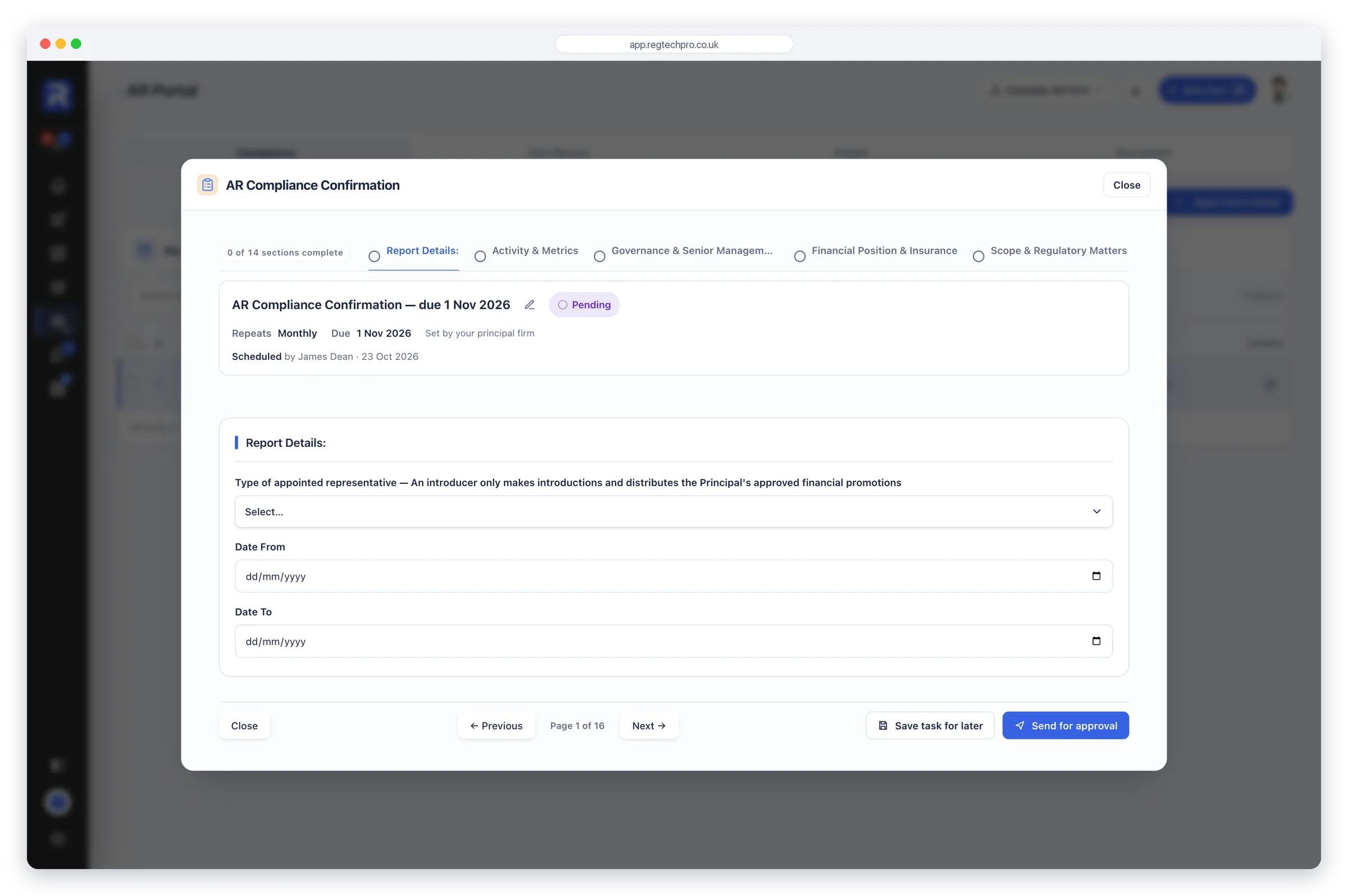
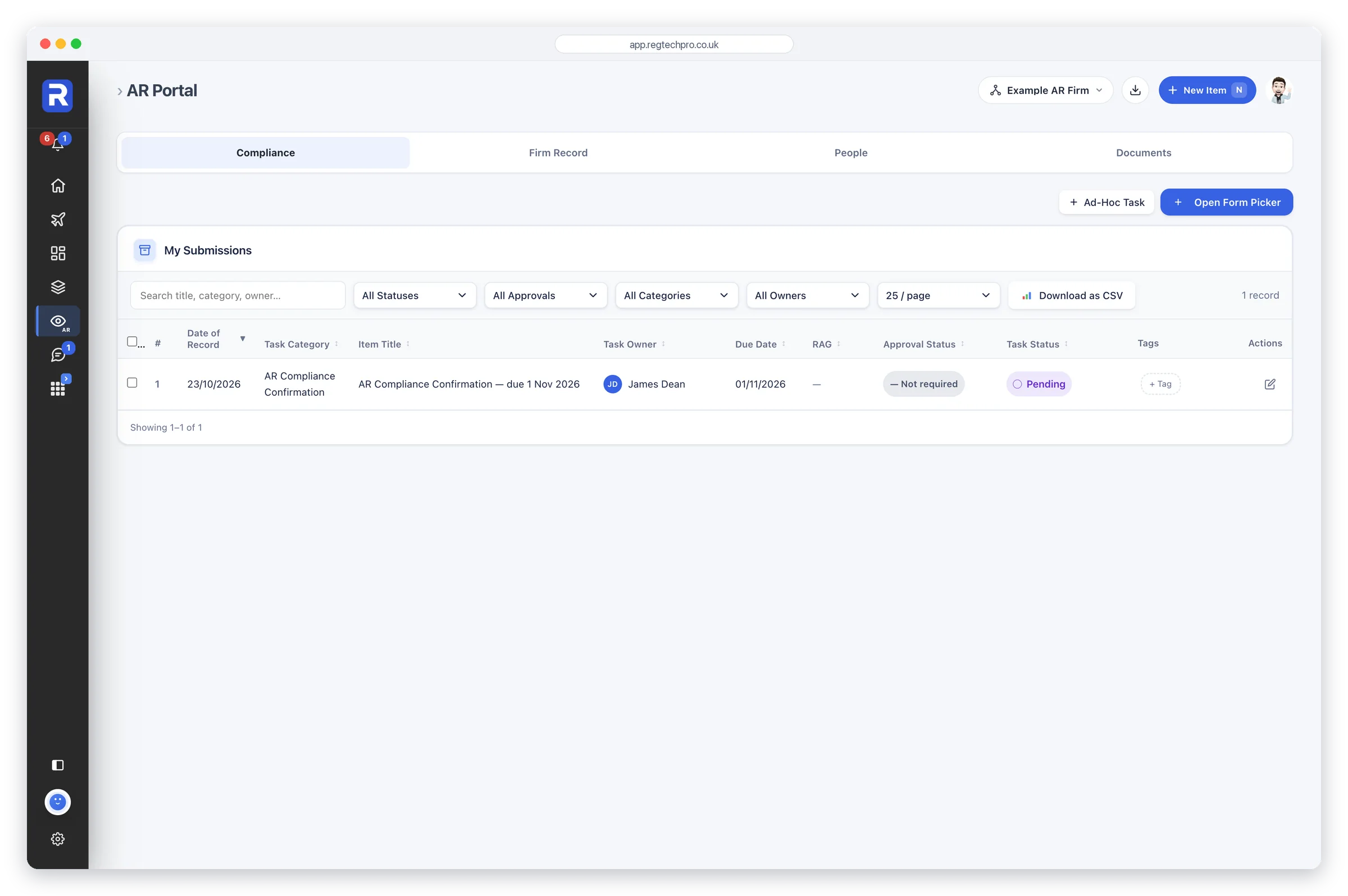
Each AR gets its own portal. Behind its own secure login, an AR’s team works in the User Portal, one app with four tabs, Compliance, Firm Record, People and Documents, and sees its own record and nothing else. The principal schedules what it needs completed; the AR completes it, attaches the evidence and sends it for approval; and every confirmation, document and record the AR files lands on the principal's side for approval. Information moves both ways, and the principal never chases by email.
The network view. Health, RAG and what needs your attention across every appointed representative.
The things that matter when the data is your firm's compliance records.
Signing in on a new device or browser asks for a 6-digit code sent to your email. There’s no password to create, reuse, phish or leak — the code is the whole of it. Devices you already trust aren't asked again.
Bank-grade encryption on infrastructure with SOC 2 and ISO 27001 pedigree, run in the UK / EU by an ICO-registered company that has been active since 2017.
No procurement dance, no waiting list. Fourteen days of the full platform on your own firm, with no card needed.
Your email, your name and your firm’s name, with its FRN if it has one. No card needed, and you sign in with a one-time code sent to your email. There’s no password to create and nothing to install.
Create free accountChoose Starter, Pro or Network+, and the set-up wizard reads your firm’s permissions from the FCA Register and sets the platform up around them. Add your colleagues and workflows, and record your compliance. Or book a demo and we’ll walk you through it.
Book a demoUpgrade from inside the platform, monthly or annually. Everything you set up during your 14-day free trial is kept, exactly as it is, and our ICA and CISI certified compliance practitioners stay with you to help with your workflows, registers, monitoring plan and users.
See the plans14-day free trial, no card needed · Unlimited users
We use essential cookies to make the site work, and optional analytics cookies to understand how it's used. See our Cookie Policy.
